
|
Do it yourself
| |||
| ||||


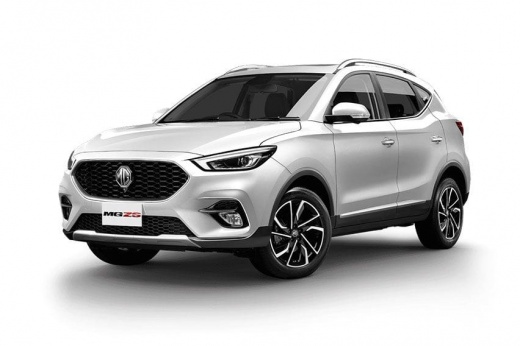
Tips and Tricks for the MG ZS
Model: MG ZS
Zs11
- Years:
2017, 2018, 2019, 2020, 2021, 2022, 2023, 2024
This video is currently unavailable
In this video, we will see some utilities for the MG ZS: for example, if you find yourself with a dead battery, you can remove the end part of the handle and use the emergency key found in the remote; just remove the hook and you can access the lock that allows you to open the door. You can start by placing the dead key in backup position, meaning in the center console, and start the vehicle by pressing the start button normally. Another interesting thing: if you try to lift the wipers to clean or change them, they hit against the body, scratching the paint; you need to position them so you can work on them: turn on the ignition, then turn it off and give a tap to the turn signal stalk, so the wipers lift vertically and you can work on them comfortably. A tap down returns them to position. To replace the remote battery, simply split it in two; reposition the hook and reassemble the remote, and you're done.
Updated on 25 July 2026 by ScegliAuto
Related tutorials
MG ZS
(2017-2024 /
Zs11)
Let's see how to board an MG ZS if the remote control runs out of battery: on the remote control there is a small button that, when pressed, releases…
Other guides you may be interested in
|
How to Reset the Tyre Pressure Warning Light on the Jeep Renegade?
To reset the tyre pressure warning light on the Jeep Renegade, inflate the tyres until they reach the recommended pressure: this value is indicated on the sticker attached to the driver’s door pillar. Once the tyres are properly inflated, navigate through the menu that appears on the instrument cluster until you find the tyre pressure option. At this point, press and hold the OK button on the right side of the steering wheel to make the warning light disappear. by ScegliAuto More videos
|
|
For advertising on this site Write to info@scegliauto.com
ScegliAuto is not responsible for any inaccuracy of the data in the lists. To report any inaccuracy or your business (if you own the business in question), please write to info@scegliauto.com
Number of seconds to generate the page: 0.200
(c) ScegliAuto 2026 - info@scegliauto.com - Privacy policy VAT number: IT01247470535 |
