
|
Do it yourself
| |||
| ||||


Resetting the Onboard Computer After Service
Model: Mini Mini
R56, R55, R57
- Years 2007-2014
Modern vehicles have computers that assist with maintenance by reminding the driver of service operations when the preset mileage is reached. Among various tasks, the computer also reminds you of the necessary tyre replacement at the mileage specified by the manufacturer. To reset the computer after a tyre replacement, turn on the ignition and use the appropriate button to select the 'setting' option from the menu. Once in the menu, navigate to the 'tyres' section. In this menu, select the 'reset' option to clear the tyre maintenance programme.
Updated on 5 February 2026 by ScegliAuto
Video tutorial
Related tutorials
Mini
(2007-2014 /
R56, R55, R57)
To reset the oil life indicator on the Mini Cooper, you only need to work from the central instrument panel, without using diagnostic tools. With the…

Mini
(2001-2007 /
R53, R52, R50)
To activate the on-board computer on a Mini One D R50, there is no dedicated physical button; activation occurs via the "BC" button on the wiper stal…
Mini
(2010-2016 /
Countryman1, R60)
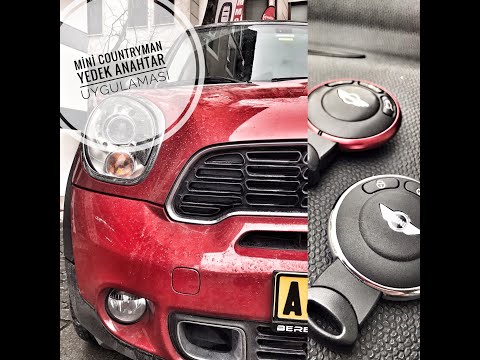
To program the key for the Mini Countryman, insert it into the corresponding ignition switch. Once the key is inserted, connect a computer to the veh…
Other guides you may be interested in
|
Frequently Asked QuestionsHow to Replace the Remote Battery for the Volvo XC40?
In this tutorial, you will see how to replace the battery in the remote for the Volvo XC40, a very simple and quick operation. For this, you will need a replacement battery of type CR2032 and possibly a small flathead screwdriver. First, remove the front cover by pressing the button on the metal ring, then locate the second button, press it as well, and remove the opposite cover. Next, open the circular cap, take out the old battery, and insert the new one in the opposite direction. Finally, reassemble everything. by ScegliAuto More videos
|

|
For advertising on this site Write to info@scegliauto.com
ScegliAuto is not responsible for any inaccuracy of the data in the lists. To report any inaccuracy or your business (if you own the business in question), please write to info@scegliauto.com
Number of seconds to generate the page: 0.300
(c) ScegliAuto 2026 - info@scegliauto.com - Privacy policy VAT number: IT01247470535 |
