
|
Do it yourself
| |||
| ||||


How to reset the service light on a Mini Cooper R50.
Model: Mini Mini
R53, R50, R52
- Years 2001-2007
If the yellow service light on your Mini Cooper Mk1's instrument panel stays on even after a regular car service, you must manually reset it. Below, we will discover together what steps are necessary. Locate the button inside the tachometer and hold it down. At the same time, turn the key to position one and start the dashboard. As soon as the "SIA" message appears on the display, release the button and press it again immediately afterwards. Finally, as soon as the "SIA" message begins to flash, release the button and press it one last time.
Posted on 11 June 2023 by ScegliAuto
Video tutorial
Related tutorials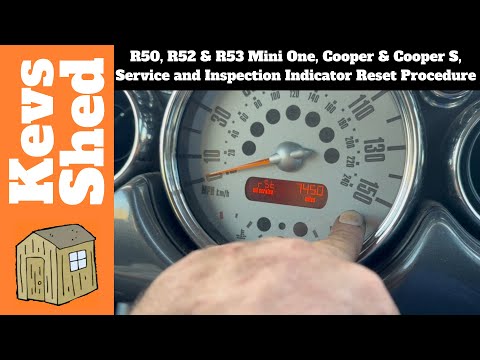
Mini
(2001-2007 /
R53, R50, R52)
To manually reset the service light on the dashboard display of your Mini Cooper R50, simply follow the procedure described in our new guide dedicate…

Mini
(2001-2007 /
R53, R50, R52)
In this video, we are shown how to reset the maintenance light on the Mini Cooper R50. The procedure takes little time to complete, and does not requ…

Mini
(2001-2007 /
R53, R50, R52)
On the Mini Cooper R520, R52, and R53 versions, we have a warning light that indicates brake pad wear. It is certainly a very useful warning light, b…
Other guides you may be interested in
|
How to Replace the Handbrake Button on a Renault Scenic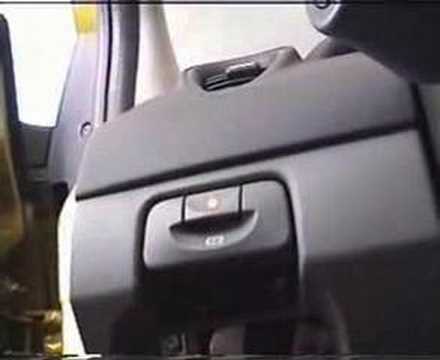
To remove the handbrake, start by taking off the lower parts, beginning with the side panel. Use a plastic lever to lift the panel. Now, to remove the glove compartment, open it and pull it towards you. Next, remove the brightness controls for the dashboard and external lights. You can extract it by pushing from the inside and disconnect the plugs at the back. This allows you to unscrew the bolts securing the handbrake lever. Now, remove the screw that secures the panel where the handbrake is attached. You can now gently pull out the handbrake and disconnect the plug at the back. by ScegliAuto More videos
|
|
For advertising on this site Write to info@scegliauto.com
ScegliAuto is not responsible for any inaccuracy of the data in the lists. To report any inaccuracy or your business (if you own the business in question), please write to info@scegliauto.com
Number of seconds to generate the page: 0.106
(c) ScegliAuto 2026 - info@scegliauto.com - Privacy policy VAT number: IT01247470535 |
