
|
Do it yourself
| |||
| ||||


Resetting the Mini's Service indicator light
Model: Mini Mini
Countryman1, R60
- Years 2010-2016
After changing the engine oil of the Mini Countryman, we need to reset the system that alerts us of the need for maintenance with a warning on the dashboard. Sit in the driver's seat, turn the ignition key to position two, press and hold the small button to the right of the displays inside the tachometer until the service icons to be reset appear on the display. Select the service of interest with the button at the top of the lever to the left of the steering wheel, once selected, press and hold again until the reset request appears, release and press again until the reset is complete, then turn off the ignition.
Posted on 1 May 2024 by ScegliAuto
Video tutorial
Related tutorials
Mini
(2001-2007 /
R52, R50, R53)
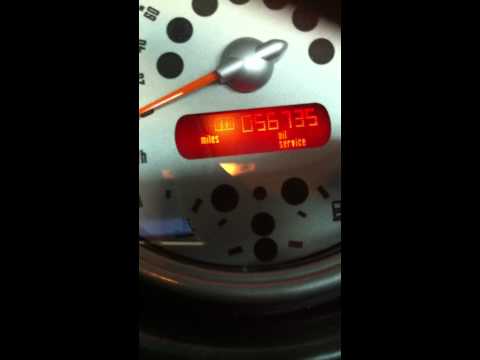
After changing the engine oil of the Mini, we need to reset the control system that alerts us of the need for the operation. We sit in the driver's s…
Mini
(2001-2007 /
R52, R50, R53)
The procedure for switching off the service warning light for the Mini R53 is carried out manually through a particular sequence to be carried out wi…

Mini
(2017-2023 /
Countryman2, F60)
You can reset the Service light that is indicated on the instrument panel of the Mini Countryman by turning on the ignition: once the ignition is act…
Other guides you may be interested in
|
How to Replace the Engine Air Filter on a Hyundai Matrix
Learn how to replace the engine air filter on a Hyundai Matrix: open the car door, pull up the engine compartment release lever located at the bottom left of the dashboard, and lift the front bonnet. Secure it with the prop rod. Locate the filter box, then open the air kit (release the plastic clips) and remove the cover to extract the worn air filter. Insert a new filter into the designated housing (ensuring it fits snugly around the edges). Finally, refit the air box cover and secure it with the clips. Close the front bonnet after maintenance. by ScegliAuto More videos
|

|
For advertising on this site Write to info@scegliauto.com
ScegliAuto is not responsible for any inaccuracy of the data in the lists. To report any inaccuracy or your business (if you own the business in question), please write to info@scegliauto.com
Number of seconds to generate the page: 0.171
(c) ScegliAuto 2026 - info@scegliauto.com - Privacy policy VAT number: IT01247470535 |
