
|
Do it yourself
| |||
| ||||



How do you disassemble the injection pump in the Mitsubishi Pajero 2.8 td?
Model: Mitsubishi Pajero
V80, MK 4
- Years:
2006, 2007, 2008, 2009, 2010, 2011, 2012, 2013, 2014, 2015, 2016, 2017
Video tutorial
The breakdown of the injector pump, as the name suggests, does not allow the car to receive the necessary fuel for the perfect regularity of the engine. In fact, if the engine runs roughly, the car will struggle to move, while if it is completely blocked, it will stop the vehicle entirely. One of the main causes of malfunction is the wear of the gears noticed by the person performing the work. In this video tutorial, we see how to assemble the mentioned pump, and by proceeding in reverse, we will achieve disassembly, disconnecting the fuel inlet and outlet pipes, disconnecting the power cables, and removing the fixing pins.
Posted on 2 June 2025 by ScegliAuto
Related tutorials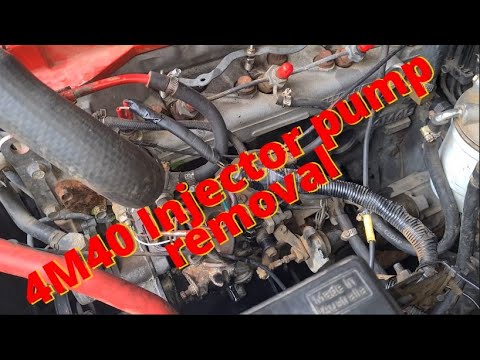
Mitsubishi Pajero
(1999-2006 /
V60, MK 3)
To replace the fuel injection pump on the Mitsubishi Pajero, open the bonnet to access the components located in the engine bay: here, on the left si…

Mitsubishi Pajero
(1999-2006 /
V60, MK 3)
To replace the fuel injection pump on this vehicle, you can find the main operations summarised in this description, and you can refer to the images …

Mitsubishi Pajero
(2006-2021 /
V80, MK 4)
In today’s video, you will see how to remove the fuel pump from a fourth-generation Mitsubishi Pajero in simple steps. First, access the rear of the …
Other guides you may be interested in
|
How to reset the tyre pressure warning light on the Kia Niro EV?
To reset the tyre pressure warning light on the Kia Niro EV, inflate the tyres until they reach the correct pressure value. This value is indicated on the sticker attached to the driver's door pillar. Once the tyres are inflated, turn on the instrument cluster to check that the warning light has completely disappeared from the display. If it is still present, you may need to drive for a few miles to ensure it disappears completely from the screen. by ScegliAuto More videos
|
|
For advertising on this site Write to info@scegliauto.com
ScegliAuto is not responsible for any inaccuracy of the data in the lists. To report any inaccuracy or your business (if you own the business in question), please write to info@scegliauto.com
Number of seconds to generate the page: 0.094
(c) ScegliAuto 2026 - info@scegliauto.com - Privacy policy VAT number: IT01247470535 |
