
|
Do it yourself
| |||
| ||||


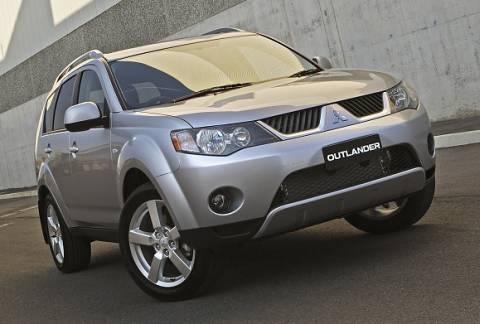
How to Install Side Steps on the Mitsubishi Outlander
Model: Mitsubishi Outlander
MK 2
- Years 2007-2012
In this video, see how to install these stylish side steps, available from bamboliltd.com with code 38082791178400_E4C8 for £347.65: delivery is free, but any customs duties are the buyer's responsibility. Start by installing the support bars at the bottom of the bodywork: there are three for each side, and the support brackets fit into the pre-existing holes in the body. Then position all the bolts in the side steps to proceed with their fastening to the already prepared brackets, applying washers and nuts, and tightening securely. Note that the side steps do not require approval unless they alter the vehicle's profile.
Updated on 10 August 2026 by ScegliAuto
Video tutorial
Related tutorials
Mitsubishi Outlander
(2007-2012 /
MK 2)
If you own a Mitsubishi Outlander Mk2 and need a guide to correctly replace the engine air filter, then you are in the right place. All you have to d…

Mitsubishi Outlander
(2007-2012 /
MK 2)
If you want to find out how to correctly perform a manual reset of the maintenance light on your 2010 Mitsubishi Outlander, all you have to do is fol…
Mitsubishi Outlander
(2021-2026 /
MK 4)
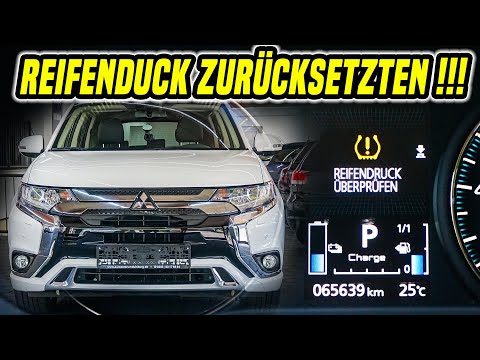
The instructions in this guide will allow us to reset the tire pressure warning light on the Mitsubishi Outlander; before resetting the TPMS sensors,…
Other guides you may be interested in
|
Fuses Location and Diagram for the Volkswagen Crafter
In this guide, we will look at the location of the fuse boxes and how to find their diagram for the Volkswagen Crafter. First, get inside the vehicle and start by removing the plastic cover found under the steering wheel, to access the internal fuse box; you will find another fuse box in the engine compartment by removing the plastic cover located next to the battery. At this point, use the owner's manual to find the fuse diagram, which will allow you to identify and replace any blown fuses with new ones! by ScegliAuto More videos
|
|
For advertising on this site Write to info@scegliauto.com
ScegliAuto is not responsible for any inaccuracy of the data in the lists. To report any inaccuracy or your business (if you own the business in question), please write to info@scegliauto.com
Number of seconds to generate the page: 0.063
(c) ScegliAuto 2026 - info@scegliauto.com - Privacy policy VAT number: IT01247470535 |
