
|
Do it yourself
| |||
| ||||


How to replace the fuel pump of the Nissan Murano
Model: Nissan Murano
Z51, MK 2
- Years 2008-2014
Today's steps will show us how to disassemble and replace the fuel pump of the Nissan Murano, following the instructions below. First, we climb onto the rear and recline the backrests; then we access the fuel pump located under the carpet lining, as shown in the video. At this point, we disconnect the fuel line and the electrical connector of the fuel level sensor; we unscrew the pump ring to remove it from the tank, replacing it with the new one, applying the reverse process for reassembly!
Posted on 26 September 2024 by ScegliAuto
Video tutorial
Related tutorials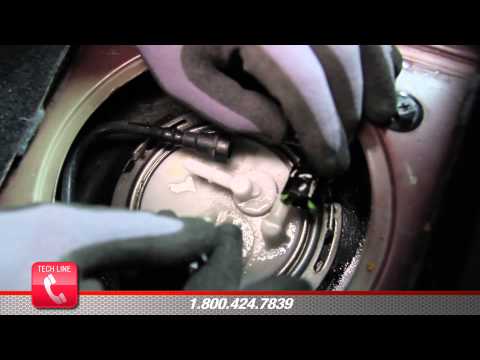
Nissan Murano
(2003-2008 /
MK 1, Z50)
In this video, we will cover the main steps to remove and replace the fuel pump on a first-generation Nissan Murano. First, disconnect the battery by…

Nissan Murano
(2003-2008 /
MK 1, Z50)
In this tutorial we can see how to replace the fuel pump in the Nissan Murano. Before proceeding, open the hood and disconnect the negative terminal …

Nissan Murano
(2014-2024 /
Z52, MK 3)
To correctly complete the replacement of the small battery inside the key of your Nissan Murano, you must follow all the steps described in our new m…
Other guides you may be interested in
|
How to reset the tyre pressure warning light on the Dacia Sandero?
To reset the tyre pressure warning light on the Dacia Sandero, inflate all the tyres to the pressure indicated on the label on the driver's door. Once the tyres are inflated, turn on the ignition and navigate through the menu using the controls on the right side of the steering wheel. Scroll with the arrows to find the tyre pressure option: by holding down the OK button located on the right side of the steering wheel, you can reset the warning light. by ScegliAuto More videos
|

|
For advertising on this site Write to info@scegliauto.com
ScegliAuto is not responsible for any inaccuracy of the data in the lists. To report any inaccuracy or your business (if you own the business in question), please write to info@scegliauto.com
Number of seconds to generate the page: 0.297
(c) ScegliAuto 2026 - info@scegliauto.com - Privacy policy VAT number: IT01247470535 |
