
|
Do it yourself
| |||
| ||||


Replacement of the fuel pump of the Nissan X-Trail
Model: Nissan X Trail
MK 1, T30
- Years 2001-2006
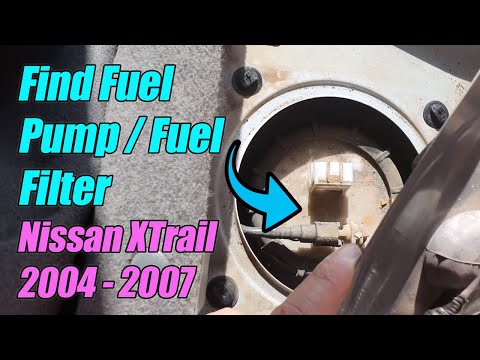
In this guide, we will see the steps that will allow us to disassemble and replace the fuel pump of the Nissan X-Trail. First, we open the rear doors of the vehicle and start removing the rear seat, pulling it upwards; then we remove the plastic cover of the fuel pump, disconnecting the pipes and the electrical connector, as shown in the video. At this point, we unscrew the pump ring to remove it from the tank, replacing it with the new original one; finally, we reassemble everything, applying the reverse procedure!
Posted on 23 June 2025 by ScegliAuto
Video tutorial
Related tutorials
Nissan X Trail
(2001-2006 /
MK 1, T30)
.. remove and replace the fuel pump of the Nissan X-Trail. First, open the rear doors of the vehicle and start by removing the rear seat; unscrew the screws.. …
Nissan X Trail
(2001-2006 /
MK 1, T30)
.. remove the fuel pump on a first series Nissan X-Trail in simple steps. First, access the rear of the vehicle by folding down the rear seat using the.. …

Nissan X Trail
(2001-2006 /
MK 1, T30)
.. to replace the fuel pump of the 2005 Nissan X Trail. To perform this operation, a flathead screwdriver will be necessary. To replace the fuel pump,.. …
Other guides you may be interested in
|
How to reset the tyre pressure warning light on the Dacia Sandero?
To reset the tyre pressure warning light on the Dacia Sandero, inflate all the tyres to the pressure indicated on the label on the driver's door. Once the tyres are inflated, turn on the ignition and navigate through the menu using the controls on the right side of the steering wheel. Scroll with the arrows to find the tyre pressure option: by holding down the OK button located on the right side of the steering wheel, you can reset the warning light. by ScegliAuto More videos
|
|
For advertising on this site Write to info@scegliauto.com
ScegliAuto is not responsible for any inaccuracy of the data in the lists. To report any inaccuracy or your business (if you own the business in question), please write to info@scegliauto.com
Number of seconds to generate the page: 0.074
(c) ScegliAuto 2026 - info@scegliauto.com - Privacy policy VAT number: IT01247470535 |
