
|
Do it yourself
| |||
| ||||


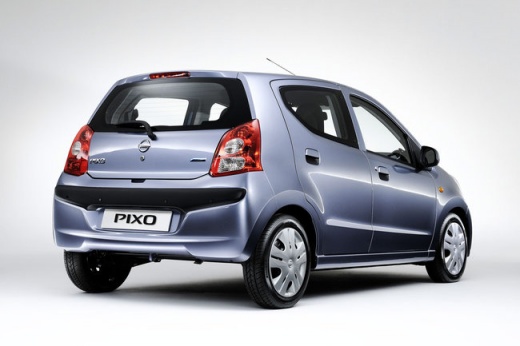
How to replace the rear hatch struts of a Nissan Pixo
Model: Nissan Pixo
MK 1
- Years:
2009, 2010, 2011, 2012, 2013
Video tutorial
Let's see how to replace the rear hatch struts of a Nissan Pixo: the youtuber recommends the Stabilus 100872 which can be found on auto-doc.it for 25.49 euros per pair with the EAN code 4046577601932 + 9.95 euros for shipping. The struts are located on both sides of the hatch, which is quite heavy, so it is advisable to have a friend help you: the removal is very easy, you just need a screwdriver, in fact each strut is fixed only by a clip at the top and one at the bottom. Once the clips are unlocked with the tip of a screwdriver, we can remove the strut (and this is where the friend comes in handy; to support the hatch). Now we position the two ends of the new strut on the mounting pins, which are designed to be reassembled without tools, simply by pushing them by hand. We repeat on the other side and close and open the hatch to check that it supports itself.
Posted on 21 October 2025 by ScegliAuto
Related tutorials
Nissan Pixo
(2009-2013 /
MK 1)
Before you begin, open the bonnet of your Nissan Pixo. Start by removing the air filter cover by unfastening the clips, unscrewing the relevant screw…

Nissan Pixo
(2009-2013 /
MK 1)
To remove the door panel of a Nissan Pixo, first unscrew the bolt located next to the window switch panel. Once this is removed, you can detach the t…

Nissan Pixo
(2009-2013 /
MK 1)
To reset the Service light on a Nissan Pixo, start by turning the ignition on by rotating the key in the ignition switch. Once the dashboard is lit, …
Other guides you may be interested in |
How to reset the tyre pressure warning light on the Kia Niro EV?
To reset the tyre pressure warning light on the Kia Niro EV, inflate the tyres until they reach the correct pressure value. This value is indicated on the sticker attached to the driver's door pillar. Once the tyres are inflated, turn on the instrument cluster to check that the warning light has completely disappeared from the display. If it is still present, you may need to drive for a few miles to ensure it disappears completely from the screen. by ScegliAuto More videos
|
|
For advertising on this site Write to info@scegliauto.com
ScegliAuto is not responsible for any inaccuracy of the data in the lists. To report any inaccuracy or your business (if you own the business in question), please write to info@scegliauto.com
Number of seconds to generate the page: 0.011
(c) ScegliAuto 2026 - info@scegliauto.com - Privacy policy VAT number: IT01247470535 |
