
|
Do it yourself
| |||
| ||||


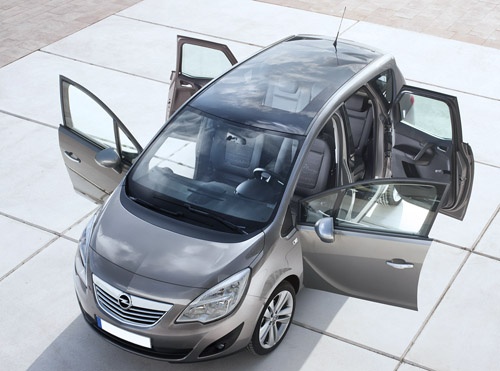
In the Opel Meriva B, how do you reset the service light?
Model: Vauxhall Meriva
Meriva B, MK 2
- Years:
2010, 2011, 2012, 2013, 2014, 2015, 2016, 2017
Video tutorial
There is also a quick, simple, and do-it-yourself way to reset the service light for the Opel Meriva b. Let's consult the vehicle's user manual to find out what maintenance interventions we need to perform in addition to changing the engine oil, following the mileage schedule. Then we proceed as follows: turn on the instrument panel, press the Menu button to access the Settings, use the lever on the left side of the steering wheel to select the Service section, and finally, while keeping it pressed, use the button at the end of the same lever to reset the warning.
Posted on 28 March 2025 by ScegliAuto
Related tutorials
Vauxhall Meriva
(2003-2010 /
Meriva A, MK 1)
When the service light on your Opel Meriva A remains on even after servicing the vehicle, you need to manually reset the light. First, get into the c…

Vauxhall Meriva
(2010-2017 /
Meriva B, MK 2)
Briefly, we will see the instructions to reset the service light for the regular maintenance oil change on the Opel Meriva. First, get into the cabin…

Vauxhall Meriva
(2010-2017 /
Meriva B, MK 2)
If you do not know how to manually reset the service light on your Opel Meriva B correctly, do not worry as below you will find the description of al…
Other guides you may be interested in
|
How to Reset the Tyre Light on a Toyota Aygo?
To reset the tyre light on a Toyota Aygo, start by locating the reset button, which is found in the glove compartment of the front passenger side. Turn on the car and ensure that the tyres are at the correct pressure. Then, press and hold the reset button for a few seconds until the tyre light either flashes or turns off, depending on the model. Release the button and wait for the reset procedure to complete. Restart your Toyota Aygo and check if the tyre light has turned off, indicating that the reset was successful. by ScegliAuto More videos
|
|
For advertising on this site Write to info@scegliauto.com
ScegliAuto is not responsible for any inaccuracy of the data in the lists. To report any inaccuracy or your business (if you own the business in question), please write to info@scegliauto.com
Number of seconds to generate the page: 0.083
(c) ScegliAuto 2026 - info@scegliauto.com - Privacy policy VAT number: IT01247470535 |
