
|
Do it yourself
| |||
| ||||


Opel Astra G: how to reset the service light
Model: Vauxhall Astra
Astra G
- Years 1998-2006
On the Opel Astra G, turn the ignition on without starting the engine and look at the small display below the speedometer: the message "InSP" appears above the total mileage. With your right hand, press the trip reset button located to the right, below the fuel gauge, and hold it firmly. The display will briefly turn off while the button is pressed, then return to normal display showing only the mileage (for example, the value 285.1 above the total 227,549), without the InSP message. Release the button and turn off the ignition: on the next restart of the Opel Astra G, the service message will no longer appear, indicating that the maintenance reset has been successfully completed.
Posted on 12 May 2026 by ScegliAuto
Video tutorial
Related tutorials
Vauxhall Astra
(2021-2026 /
Astra L)
In this tutorial, see how to reset the service on an Opel Astra, an extremely simple and quick operation, to be performed only after completing all s…
Vauxhall Astra
(2004-2010 /
Astra H)
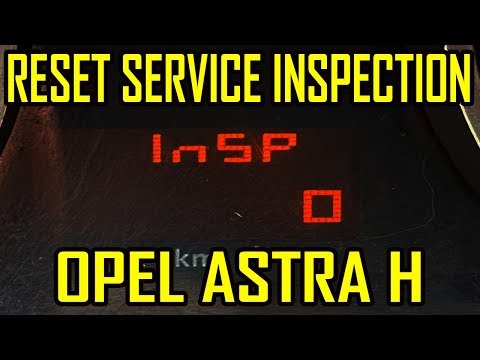
In this tutorial, you will learn how to reset the service on the Opel Astra H. This operation is very simple and quick, and should only be performed …

Vauxhall Astra
(2015-2022 /
Astra K)
In this tutorial, we will see how to reset the service light on the Opel Astra, a very simple and quick operation to perform only after completing al…
Other guides you may be interested in
|
How to Bleed the Clutch on a Renault Clio?
To bleed the clutch on a Renault Clio, open the bonnet to access the components located in the engine bay: here, you will need to undo the screws that secure the battery in its housing, the intake manifold, and the coolant reservoir. This will allow you to locate the pipe through which the brake fluid flows: by inserting the other end of the pipe into a container, you can press the clutch pedal to expel all the fluid until it fills the container. by ScegliAuto More videos
|
|
For advertising on this site Write to info@scegliauto.com
ScegliAuto is not responsible for any inaccuracy of the data in the lists. To report any inaccuracy or your business (if you own the business in question), please write to info@scegliauto.com
Number of seconds to generate the page: 0.768
(c) ScegliAuto 2026 - info@scegliauto.com - Privacy policy VAT number: IT01247470535 |
