
|
Do it yourself
| |||
| ||||


How do you reset the oil warning light on the Opel Insignia?
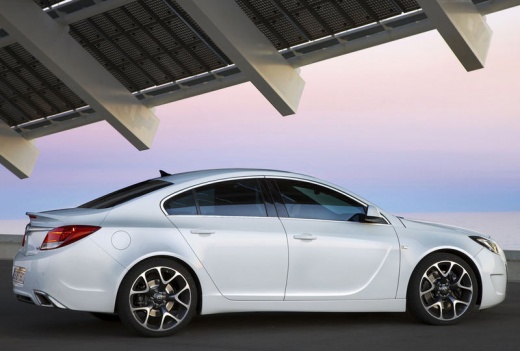
Model: Vauxhall Insigna
Insigna A, MK 1
- Years 2008-2017
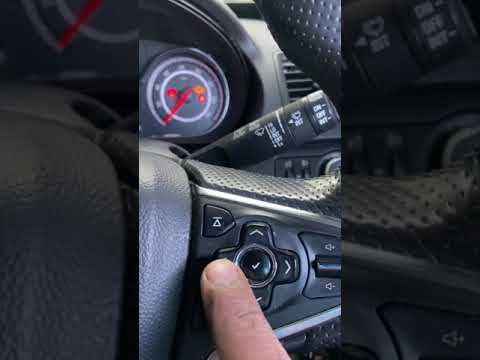
In order to reset the Opel Insignia oil warning light, you have to scroll through the menu inside the instrument panel, after it has been turned on by turning the key in the appropriate lock. It will be necessary to stop when the item with the residual life of the oil and the relative percentage is reached. To make this percentage return to 100% simply press and hold the SET / CLR button located on the end of the left lever. In this way, the wording will start flashing, until it returns to a fixed one and the percentage of life remaining will be back to its maximum.
Posted on 12 September 2022 by ScegliAuto
Video tutorial
Related tutorials
Vauxhall Insigna
(2017-2026 /
Insigna B, MK 2)
Resetting the oil light on an Opel Insignia vehicle produced from 2017 to 2026 is a simple and quick operation to be carried out independently, witho…

Vauxhall Insigna
(2008-2017 /
Insigna A, MK 1)
To reset the oil light on the Opel Insignia, you need to turn on the car's instrument panel and then press the up arrow button, located on the right …
Vauxhall Insigna
(2008-2017 /
Insigna A, MK 1)
The procedure for resetting the Service light on the Opel Insignia requires turning on the instrument panel so that you can navigate through the menu…
Other guides you may be interested in
|
How to Remove the Stereo from a Hyundai i20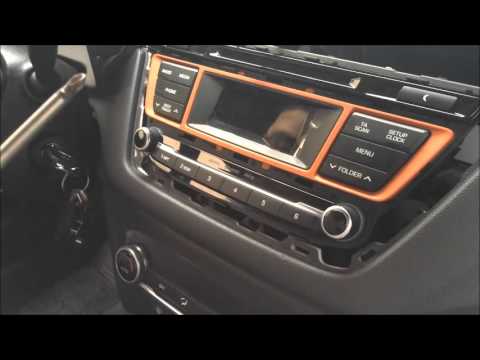
Want to remove the stereo from your Hyundai but don’t know how? In this video, see how to remove the original stereo from your car. First, remove the dashboard cover plastics using a plastic tool, then detach the central frame of the stereo (where the air vents are located) along with the related clips of the control buttons. Once the stereo is free from constraints, unscrew the fastening screws on its sides. Pull the stereo out by hand and disconnect the cables (power and antenna). To reassemble, proceed in reverse. by ScegliAuto More videos
|
|
For advertising on this site Write to info@scegliauto.com
ScegliAuto is not responsible for any inaccuracy of the data in the lists. To report any inaccuracy or your business (if you own the business in question), please write to info@scegliauto.com
Number of seconds to generate the page: 0.118
(c) ScegliAuto 2026 - info@scegliauto.com - Privacy policy VAT number: IT01247470535 |
