
|
Do it yourself
| |||
| ||||


Replacing the Remote Key Battery
Model: Vauxhall Astra
Astra H
- Years 2004-2010
If pressing the unlock or lock button on the remote key does nothing, it is very likely that the battery has run out; replacing it is straightforward as it involves opening the shell of the remote key (there is usually a small groove that serves as an invitation to insert a small screwdriver to lever it open), removing the old battery, cleaning the contacts, and inserting the new one; if you have two keys, it is advisable to replace both batteries: these are circular 3 Volt batteries, but the thickness may vary. The one in question is a CR2032.
Updated on 16 February 2026 by ScegliAuto
Video tutorial
Related tutorials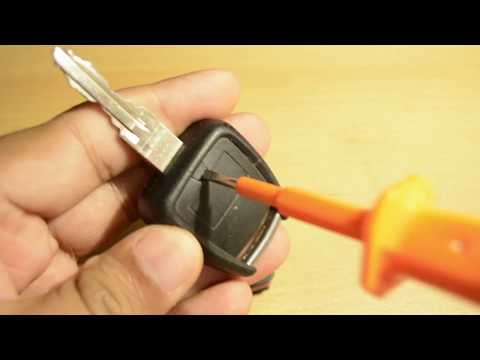
Vauxhall Astra
(2004-2010 /
Astra H)
Do you want to change the battery in the key of an Opel Astra? Here’s how to replace the battery inside the key. Take the key and remove the metal ke…

Vauxhall Astra
(1991-1998 /
Astra F)
A common issue is the breakage of the remote key cover, especially around the opening and closing buttons; you can purchase just the cover aftermarke…
Vauxhall Astra
(2004-2010 /
Astra H)
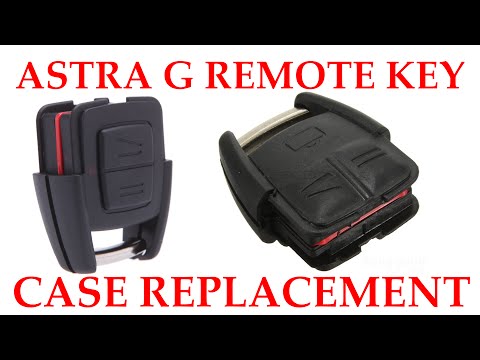
It is common for the cover of the remote key to break at the buttons for locking and unlocking; you can purchase new covers from the aftermarket to a…
Other guides you may be interested in
|
Frequently Asked QuestionsHow to Bleed the Clutch on a Renault Clio?
To bleed the clutch on a Renault Clio, open the bonnet to access the components located in the engine bay: here, you will need to undo the screws that secure the battery in its housing, the intake manifold, and the coolant reservoir. This will allow you to locate the pipe through which the brake fluid flows: by inserting the other end of the pipe into a container, you can press the clutch pedal to expel all the fluid until it fills the container. by ScegliAuto More videos
|
|
For advertising on this site Write to info@scegliauto.com
ScegliAuto is not responsible for any inaccuracy of the data in the lists. To report any inaccuracy or your business (if you own the business in question), please write to info@scegliauto.com
Number of seconds to generate the page: 0.352
(c) ScegliAuto 2026 - info@scegliauto.com - Privacy policy VAT number: IT01247470535 |
