
|
Do it yourself
| |||
| ||||


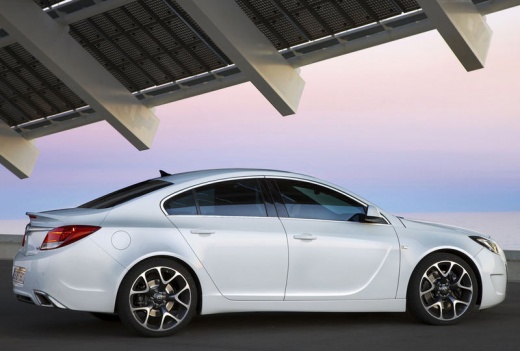
Overview of the IntelliLink Infotainment System in the Vauxhall Insignia
Model: Vauxhall Insigna
MK 1, Insigna A
- Years:
2008, 2009, 2010, 2011, 2012, 2013, 2014, 2015, 2016, 2017
Video tutorial
The onboard intelligence and infotainment system used in the Vauxhall Insignia is called "IntelliLink". It is an advanced system designed to offer a wide range of connectivity, entertainment, and information features to enhance the driving experience for both drivers and passengers. Below is an overview of the key features and functionalities of the IntelliLink system in the Vauxhall Insignia: 1. **Display and User Interface:** - IntelliLink features a high-resolution touchscreen display, centrally located on the dashboard of the Vauxhall Insignia, providing an intuitive and user-friendly interface. 2. **Smartphone Connection:** - One of the main features of IntelliLink is its compatibility with Apple CarPlay and Android Auto, allowing iOS or Android smartphones to connect to the infotainment system. This integration enables the use of smartphone apps directly on the car's display. 3. **GPS Navigation:** - IntelliLink offers an integrated GPS navigation system with detailed maps and voice instructions to guide drivers to their desired destination. Real-time traffic updates can be received, providing precise directions. 4. **Bluetooth Connectivity and Audio Streaming:** - The system allows devices to connect via Bluetooth, enabling users to make hands-free calls and stream their favourite music through the car's speakers. 5. **Digital Radio and Streaming Services:** - IntelliLink supports DAB (Digital Audio Broadcasting) digital radio, which offers better audio quality than traditional FM radio. Additionally, access to music streaming services like Spotify or Deezer is available for uninterrupted listening. 6. **Voice Commands:** - The IntelliLink system is equipped with advanced voice commands that allow drivers to control various functions, including making calls, sending messages, navigating, and adjusting audio settings without taking their hands off the wheel. 7. **USB and AUX Connectivity:** - You can connect external devices such as USB sticks or MP3 players via USB or AUX ports to play music or multimedia content. 8. **Opel Connect Services:** - Some versions of IntelliLink may include Opel Connect, which offers additional services such as vehicle monitoring, automatic emergency calling in case of an accident, and remote control of the car via a dedicated app. 9. **Customisation of Preferences:** - IntelliLink allows users to customise settings and preferences, such as audio configuration, display information, and other functions to suit individual driver needs. The IntelliLink system in the Vauxhall Insignia represents a sophisticated and comprehensive infotainment system that offers a wide range of features to enhance the driving experience and ensure easy and secure connectivity with the outside world, providing both entertainment and information on board.
Updated on 21 September 2026 by ScegliAuto
Related tutorials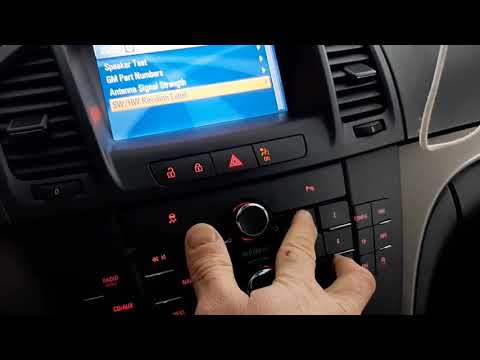
Vauxhall Insigna
(2008-2017 /
MK 1, Insigna A)
To reset the infotainment system on the Opel Insignia, access the secret menu on the central display. First, turn on the ignition by turning the key …

Vauxhall Insigna
(2008-2017 /
MK 1, Insigna A)
Today, let's discover how to activate and use the cruise control system in the Opel Insignia by following the instructions below. First, locate the c…

Vauxhall Insigna
(2017-2026 /
MK 2, Insigna B)
Each fuse on the Opel Insignia is located inside the designated fuse boxes installed in the vehicle: there are two in this type of car. The first is …
Other guides you may be interested in
|
How to Remove the Rear Seat of a Hyundai Tucson?
To remove the rear seat of a Hyundai Tucson, follow these steps. Start by moving the front seats to their most forward position to gain space. Next, locate the release lever on the underside of the rear seat, near the floor. Press this lever down while pulling the seat upwards to unlock it from the anchor pins. Once unlocked, tilt the seat upwards and forwards to remove it from its position. Repeat this process for both sides of the rear seat. Be careful of any electrical cables or components that may be connected to the seat during removal. Once the rear seat is removed, the disassembly is complete. by ScegliAuto More videos
|
|
For advertising on this site Write to info@scegliauto.com
ScegliAuto is not responsible for any inaccuracy of the data in the lists. To report any inaccuracy or your business (if you own the business in question), please write to info@scegliauto.com
Number of seconds to generate the page: 0.105
(c) ScegliAuto 2026 - info@scegliauto.com - Privacy policy VAT number: IT01247470535 |
