
|
Do it yourself
| |||
| ||||


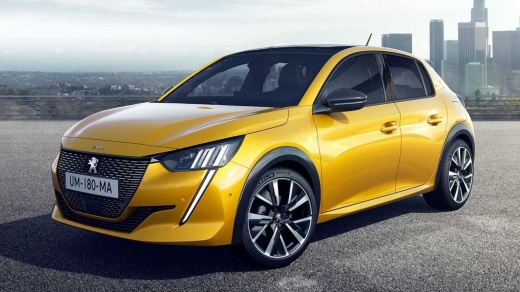
How ADAS Works on a Peugeot 208
Model: Peugeot 208
UP, UW, UB, UJ, MK 2
- Years:
2019, 2020, 2021, 2022, 2023, 2024, 2025, 2026
This video is currently unavailable
In this video, see how ADAS works on a Peugeot 208: on the lower left side of the dashboard, there is the lane keeping assist deactivation button; this is a feature that is always active and can only be deactivated. From the multimedia screen, by pressing the button depicting the car, you can deactivate the Start & Stop and traction control, which limits wheel slip while maintaining good traction. If you go to the 'vehicle inspection'/'safety' section, you will find the option to deactivate the assisted braking, road sign recognition, driver fatigue alert, and speed limiter based on road signs. These are all preset ADAS features that you can only disable.
Updated on 3 November 2026 by ScegliAuto
Related tutorials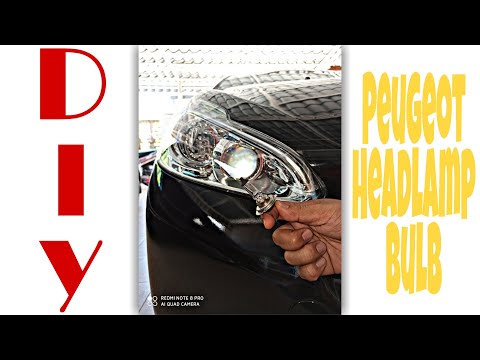
Peugeot 208
(2012-2019 /
MK 1, A9)
Need to replace the front light bulb? Here’s how to replace the bulb from inside the light of a Peugeot 208. Open the bonnet, and remove the light co…

Peugeot 208
(2019-2026 /
UP, UW, UB, UJ, MK 2)
In this video, you will see how the external mirrors on the Peugeot 208 work: you can fold them from the inside using a button located below the dire…

Peugeot 208
(2012-2019 /
MK 1, A9)
If the electric window lifters on your Peugeot 208 have suddenly stopped working, first check the status of the respective fuses, whose location is i…
Other guides you may be interested in
|
How to reset the tyre pressure warning light on the Kia Niro EV?
To reset the tyre pressure warning light on the Kia Niro EV, inflate the tyres until they reach the correct pressure value. This value is indicated on the sticker attached to the driver's door pillar. Once the tyres are inflated, turn on the instrument cluster to check that the warning light has completely disappeared from the display. If it is still present, you may need to drive for a few miles to ensure it disappears completely from the screen. by ScegliAuto More videos
|
|
For advertising on this site Write to info@scegliauto.com
ScegliAuto is not responsible for any inaccuracy of the data in the lists. To report any inaccuracy or your business (if you own the business in question), please write to info@scegliauto.com
Number of seconds to generate the page: 0.028
(c) ScegliAuto 2026 - info@scegliauto.com - Privacy policy VAT number: IT01247470535 |
