
|
Do it yourself
| |||
| ||||


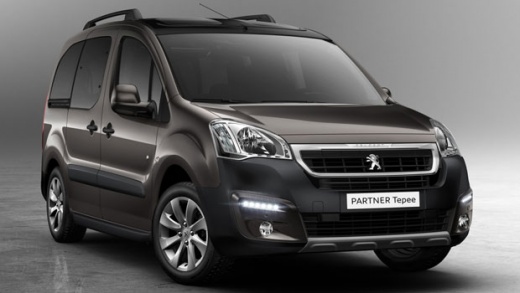
How to install the door panel of the Peugeot Partner
Model: Peugeot Partner Tepee
B9
- Years:
2008, 2009, 2010, 2011, 2012, 2013, 2014, 2015, 2016, 2017, 2018
Video tutorial
After previously removing the door panel of the trunk of the Peugeot Partner Tepee, it is necessary to install a new panel. Since there are no connectors or electrical wires, the assembly is even simpler and faster to do independently compared to a regular panel. Purchase a new panel on an online spare parts website or at an auto parts store, then with the help of an electric screwdriver, screw the four screws into the predetermined holes and then close with the covers provided. Once the job is completed, you can proceed with the second panel.
Posted on 6 February 2025 by ScegliAuto
Related tutorials
Peugeot Partner Tepee
(1996-2013 /
MK 1)
In order to replace the clutch cable of the Peugeot Partner, you need to access the components inside the engine compartment: here you can start by r…

Peugeot Partner Tepee
(2008-2018 /
B9)
This guide shows you how to remove and replace the number plate bulb on the Peugeot Partner, as well as the Citroen Berlingo. First, open the tailgat…

Peugeot Partner Tepee
(2018-2026 /
MK 3)
To replace the alternator on a Peugeot Partner, open the bonnet to access the components inside the engine compartment: you will need to loosen the s…
Other guides you may be interested in
|
How to Open the Bonnet on the Mitsubishi L200?
In this tutorial, you will see how to open the bonnet on the Mitsubishi L200, a very simple operation that follows the standard procedure. First, open the vehicle and go to the driver's side, then locate the lever at the lower outer area, just in front of the pedals, and pull it. Next, position yourself in front of the bonnet, locate the second lever above the Mitsubishi logo, and push it to the right, releasing the latch. At this point, you can fully lift the bonnet and secure it with the prop rod. by ScegliAuto More videos
|
|
For advertising on this site Write to info@scegliauto.com
ScegliAuto is not responsible for any inaccuracy of the data in the lists. To report any inaccuracy or your business (if you own the business in question), please write to info@scegliauto.com
Number of seconds to generate the page: 0.012
(c) ScegliAuto 2026 - info@scegliauto.com - Privacy policy VAT number: IT01247470535 |
