
|
Do it yourself
| |||
| ||||


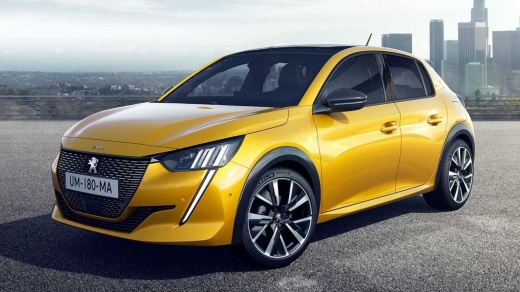
How to set up the radio of a Peugeot 208 MK2
Model: Peugeot 208
UP, UW, UB, UJ, MK 2
- Years:
2019, 2020, 2021, 2022, 2023, 2024, 2025, 2026
Video tutorial
In this video, we see how to set up the radio on a Peugeot 208 MK2: to turn it on, we press the "radio" button on the multimedia screen, select the band between AM/FM and DAB. We can then access traffic information (TP); audio tone adjustment (bass, mid, and treble); a very appreciated adjustment is the one that automatically adjusts the volume based on the vehicle's speed, slightly increasing it when accelerating and lowering it when slowing down. The video mentions the sound balance adjustment between front and rear speakers, which allows to redirect all sound to the front (useful if there is a sleeping child in the back). Other useful functions include message reading and navigation between stations with virtual up/down buttons.
Posted on 30 August 2025 by ScegliAuto
Related tutorials
Peugeot 208
(2012-2019 /
MK 1, A9)
Removing the radio from the Peugeot 208 model 1 is a simple and quick operation to be carried out independently. To perform this operation, we need t…

Peugeot 208
(2012-2019 /
MK 1, A9)
In order to reset the radio of the Peugeot 208, you need to remove the dashboard panel located in the bottom left part compared to the steering colum…

Peugeot 208
(2012-2019 /
MK 1, A9)
The information provided in this guide will show us how to reset the infotainment system and radio of the Peugeot 208. First, we get on board the veh…
Other guides you may be interested in |
Frequently Asked QuestionsHow to reset the tyre pressure warning light on the Kia Niro EV?
To reset the tyre pressure warning light on the Kia Niro EV, inflate the tyres until they reach the correct pressure value. This value is indicated on the sticker attached to the driver's door pillar. Once the tyres are inflated, turn on the instrument cluster to check that the warning light has completely disappeared from the display. If it is still present, you may need to drive for a few miles to ensure it disappears completely from the screen. by ScegliAuto More videos
|
|
For advertising on this site Write to info@scegliauto.com
ScegliAuto is not responsible for any inaccuracy of the data in the lists. To report any inaccuracy or your business (if you own the business in question), please write to info@scegliauto.com
Number of seconds to generate the page: 0.019
(c) ScegliAuto 2026 - info@scegliauto.com - Privacy policy VAT number: IT01247470535 |
