
|
Do it yourself
| |||
| ||||



How to reset the service in the Peugeot Partner van?
Model: Peugeot Partner Tepee
B9
- Years:
2008, 2009, 2010, 2011, 2012, 2013, 2014, 2015, 2016, 2017, 2018
Video tutorial
In this tutorial, we can see how to reset the service in the Peugeot Partner van, an extremely simple and quick operation to be carried out only after completing all scheduled maintenance work. First, let's go inside the cabin, then insert the key but keep it in the initial position. Next, press and hold the right button on the dashboard, turn on the instrument panel at the same time, and keep the button pressed for the entire duration of the countdown displayed. To complete the procedure, simply restart the vehicle.
Posted on 15 January 2026 by ScegliAuto
Related tutorials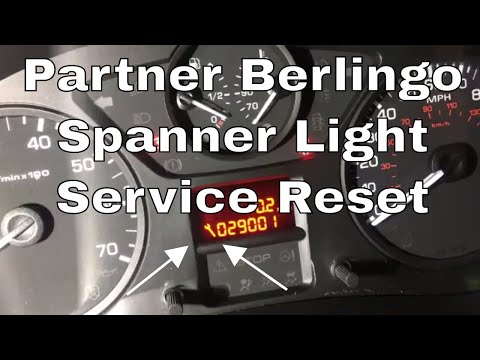
Peugeot Partner Tepee
(2008-2018 /
B9)
As seen in this tutorial, resetting the service light in a Peugeot Partner van is a very simple and quick operation. Before proceeding, ensure that a…

Peugeot Partner Tepee
(2008-2018 /
B9)
.. In this tutorial we can see how to reset the service in the Peugeot Partner van, an extremely simple and quick operation, to be carried.. …

Peugeot Partner Tepee
(2008-2018 /
B9)
.. In this tutorial we can see how to reset the service in the Peugeot Partner van, an extremely simple and quick operation, to be carried.. …
Other guides you may be interested in
|
How to Open the Bonnet of the Renault Kangoo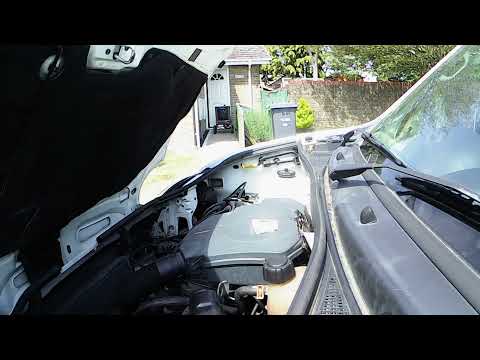
In this video, see how to open the bonnet of a Renault Kangoo and locate the windscreen washer fluid reservoir. The YouTuber had to go to a local garage to achieve this. He mentions going towards the passenger door, as this is a right-hand drive vehicle. Naturally, for left-hand drive vehicles, the door is that of the driver. Pull the lever located on the side towards you to release the bonnet. To open it, lever from the centre of the bonnet outwards, which is somewhat the opposite of how most bonnets open. In front of the driver, on the grille, there is a black rubber cap. Here you can add the washer fluid. by ScegliAuto More videos
|
|
For advertising on this site Write to info@scegliauto.com
ScegliAuto is not responsible for any inaccuracy of the data in the lists. To report any inaccuracy or your business (if you own the business in question), please write to info@scegliauto.com
Number of seconds to generate the page: 0.071
(c) ScegliAuto 2026 - info@scegliauto.com - Privacy policy VAT number: IT01247470535 |
