
|
Do it yourself
| |||
| ||||


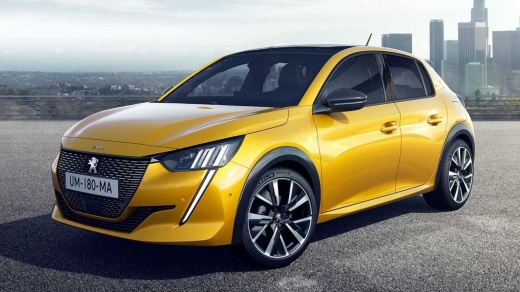
How to Reset the Infotainment System on a Peugeot 208
Model: Peugeot 208
UP, UW, UB, UJ, MK 2
- Years:
2019, 2020, 2021, 2022, 2023, 2024, 2025, 2026
Video tutorial
Let's see how to reset the infotainment system on a Peugeot 208: this way we can restart the system without deleting the settings. Press and hold the power button of the system (the physical "power" button) for 10 seconds. The screen will turn off and then turn back on by itself. Release the button when you see the Peugeot logo. If we need to perform a factory reset, we must know that all customisations we have set over time will be deleted. We have two options: from the menu go to settings and navigate to "system" and find the option "reset factory settings". Confirm. The second option is a key combination: press and hold "volume+"/"volume-"/"power" simultaneously for about 10 seconds. Follow the on-screen instructions to confirm.
Posted on 8 April 2026 by ScegliAuto
Related tutorials
Peugeot 208
(2012-2019 /
MK 1, A9)
To reset the infotainment system of the Peugeot 208, it will be necessary to open the hood in order to locate the battery inside the engine compartme…

Peugeot 208
(2012-2019 /
MK 1, A9)
In order to reset the infotainment system of the Peugeot 208, you need to connect a diagnostic tool to the OBD port of the vehicle: this can be found…

Peugeot 208
(2012-2019 /
MK 1, A9)
To reset the infotainment system of the Peugeot 208, you need to turn on the instrument panel by inserting the ignition key into the corresponding sl…
Other guides you may be interested in |
How to reset the tyre pressure warning light on the Kia Niro EV?
To reset the tyre pressure warning light on the Kia Niro EV, inflate the tyres until they reach the correct pressure value. This value is indicated on the sticker attached to the driver's door pillar. Once the tyres are inflated, turn on the instrument cluster to check that the warning light has completely disappeared from the display. If it is still present, you may need to drive for a few miles to ensure it disappears completely from the screen. by ScegliAuto More videos
|
|
For advertising on this site Write to info@scegliauto.com
ScegliAuto is not responsible for any inaccuracy of the data in the lists. To report any inaccuracy or your business (if you own the business in question), please write to info@scegliauto.com
Number of seconds to generate the page: 0.087
(c) ScegliAuto 2026 - info@scegliauto.com - Privacy policy VAT number: IT01247470535 |
