
|
Do it yourself
| |||
| ||||


How to Set the Time on a Peugeot 301?
Model: Peugeot 301
- Years 2012-2019
In this tutorial, you will see how to set the time on a Peugeot 301, a very simple and quick operation, for example, after disconnecting the battery or switching to daylight saving time. First, enter the cabin, then insert the key and turn on the instrument cluster. Next, access the general menu on the display using the appropriate button, go to "Personalization-configuration", then "Display configuration", and select "Set time and date" to adjust both the date and time as needed. To save the settings, simply return to the main screen.
Posted on 28 September 2026 by ScegliAuto
Video tutorial
Related tutorials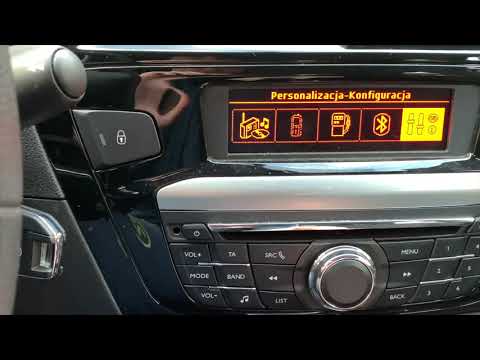
Peugeot 301
(2012-2019 /
MK 1)
The TPMS light plays an important role in signaling any tire pressure losses on your Peugeot 301. Sometimes, due to reading errors, it may turn on mi…
Peugeot 301
(2012-2019 /
MK 1)
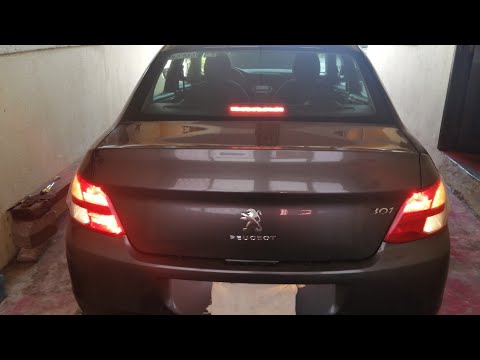
In this tutorial, you will learn how to replace the tail lights on a Peugeot 301, a very simple and quick operation. First, ensure that the key is no…

Peugeot 301
(2012-2019 /
MK 1)
The box containing all the various fuses for your Peugeot 301 is located inside the cabin. To be able to locate it and have easy access to the fuses,…
Other guides you may be interested in
|
How to Set the Time on the New Vespa 2023
In this new mini guide dedicated to your new Vespa 2023, discover how to manually change the time displayed on the central dashboard. First, position your Vespa on the stand. Then, insert the key and start the instrument panel. At this point, locate the "Mode" button on the right knob and hold it down for a few seconds. Release it as soon as the time on the dashboard starts to flash and press it multiple times to change both the hour and minute digits. When finished, turn off the panel and you are done. by ScegliAuto More videos
|

|
For advertising on this site Write to info@scegliauto.com
ScegliAuto is not responsible for any inaccuracy of the data in the lists. To report any inaccuracy or your business (if you own the business in question), please write to info@scegliauto.com
Number of seconds to generate the page: 0.317
(c) ScegliAuto 2026 - info@scegliauto.com - Privacy policy VAT number: IT01247470535 |
