
|
Do it yourself
| |||
| ||||


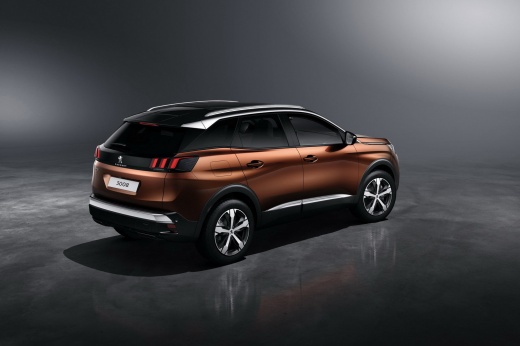
Using Voice Commands on Peugeot 3008
Model: Peugeot 3008
P84, MK 2
- Years:
2016, 2017, 2018, 2019, 2020, 2021, 2022, 2023
This video is currently unavailable
Italian users are known not to favour using voice commands. This is a real shame because using voice commands does not distract us from driving. Once you identify the voice command button located on the steering wheel at the top left, simply press it to activate it. For example, to activate the navigation, just say where you want to go; if there are multiple options with similar names, select the desired line. If you do not want the voice guidance, just set it (also by voice) to "expert mode" and the navigation will start automatically. Additionally, the system supports Apple CarPlay and Android Auto, so you just need to connect your device with a cable, and you can use Siri or Google to make calls or search on your preferred navigation system with the command "hey Siri" or "hey Google". So, it’s all very simple and will not distract you from driving!
Updated on 5 July 2026 by ScegliAuto
Related tutorials
Peugeot 3008
(2016-2023 /
P84, MK 2)
In this video, we see how to restore voice commands on a Peugeot 3008 that, for any reason - factory reset, battery change, or other accident - has n…

Peugeot 3008
(2016-2023 /
P84, MK 2)
In this video, we see how to use the voice recognition internal controls of a Peugeot 3008: on the left side of the steering wheel, we have the picto…

Peugeot 3008
(2016-2023 /
P84, MK 2)
In this video, we will see how to use CarPlay and voice commands in your Peugeot vehicle. CarPlay allows you to display all the functionalities of yo…
Other guides you may be interested in
|
Frequently Asked QuestionsHow to Reset the Tire Pressure Light on a MG ZS?
On the instrument cluster of the MG ZS, the tire pressure light that appears can be reset by inflating the tires to the correct pressure: this value will be indicated on the sticker attached to the driver's door pillar. Once the tires have been properly inflated, you can turn on the instrument cluster and navigate through the menu until you find the option that indicates tire pressure: if this screen shows the new values, the light will turn off; otherwise, you will need to drive for a few miles so that the sensors can read the new values and turn off the light afterward. by ScegliAuto More videos
|
|
For advertising on this site Write to info@scegliauto.com
ScegliAuto is not responsible for any inaccuracy of the data in the lists. To report any inaccuracy or your business (if you own the business in question), please write to info@scegliauto.com
Number of seconds to generate the page: 0.022
(c) ScegliAuto 2026 - info@scegliauto.com - Privacy policy VAT number: IT01247470535 |
