
|
Do it yourself
| |||
| ||||


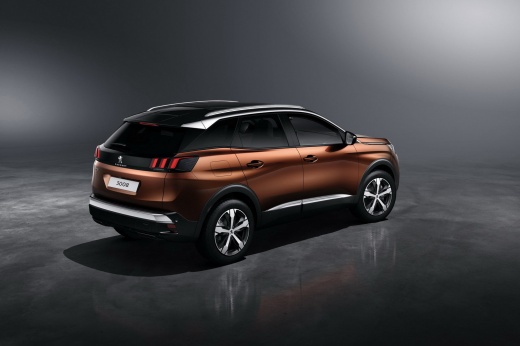
How to Set the Clock for Daylight Saving Time in the Peugeot 3008
Model: Peugeot 3008
P84, MK 2
- Years:
2016, 2017, 2018, 2019, 2020, 2021, 2022, 2023
Video tutorial
Linked to a specific time of year, daylight saving time requires you to set the clocks in your vehicle and any other environment. In the case of the Peugeot 3008, follow these steps: First, switch on the instrument cluster, then select the following options on the touchscreen display: Navigation Options, Date and Time, disable GPS synchronisation, Set Time and Date, and finish by setting the correct time and confirming the changes made. This operation is extremely simple, especially with the help of an intuitive menu.
Updated on 4 October 2026 by ScegliAuto
Related tutorials
Peugeot 3008
(2016-2023 /
P84, MK 2)
The reasons for needing to set the clock in your car, such as on the Peugeot 3008 second series, include switching from standard time to daylight sav…

Peugeot 3008
(2009-2016 /
MK 1, T84)
The transition from daylight saving time to standard time and vice versa, or the resetting of various data, including the time, force us to make adju…

Peugeot 3008
(2023-2026 /
P64)
To set the date and time on a Peugeot 3008, the procedure is done via the touchscreen. Press the settings icon in the top right corner next to the cl…
Other guides you may be interested in
|
Frequently Asked QuestionsHow to reset the tyre pressure warning light on the Kia Niro EV?
To reset the tyre pressure warning light on the Kia Niro EV, inflate the tyres until they reach the correct pressure value. This value is indicated on the sticker attached to the driver's door pillar. Once the tyres are inflated, turn on the instrument cluster to check that the warning light has completely disappeared from the display. If it is still present, you may need to drive for a few miles to ensure it disappears completely from the screen. by ScegliAuto More videos
|
|
For advertising on this site Write to info@scegliauto.com
ScegliAuto is not responsible for any inaccuracy of the data in the lists. To report any inaccuracy or your business (if you own the business in question), please write to info@scegliauto.com
Number of seconds to generate the page: 0.095
(c) ScegliAuto 2026 - info@scegliauto.com - Privacy policy VAT number: IT01247470535 |
