
|
Do it yourself
| |||
| ||||


How to set the language on the on-board computer of the Peugeot 208
Model: Peugeot 208
UB, UJ, UP, MK 2, UW
- Years 2019-2026
To set a different language on the onboard computer of the Peugeot 208 or a Citroen vehicle, we need to follow these steps: -turn on the instrument panel and the onboard computer; -select the settings symbol, located near the clock; -select the "OPTIONS" tab; -select the "LANGUAGE" tab; -scroll through the drop-down menu to select the language we want to set; -confirm the choice; -return to the main menu; -turn off and turn on the instrument panel again; Once the above steps have been completed, you can proceed smoothly with the use of the onboard computer.
Posted on 17 June 2024 by ScegliAuto
Video tutorial
Related tutorials
Peugeot 208
(2012-2019 /
A9, MK 1)
Today we will see how to change the language of the onboard computer on a Peugeot 208 vehicle. To set a different language, we must press the setting…

Peugeot 208
(2012-2019 /
A9, MK 1)
The guide below explains how to set the clock on the on-board computer of the 2015 Peugeot 208, the car visible in the video. It's nothing complicate…
Peugeot 208
(2012-2019 /
A9, MK 1)
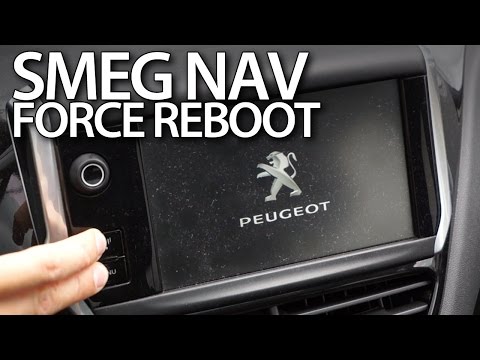
.. Resetting the on-board computer of the Peugeot 208, the system called SMEG, is very simple. You can perform this operation.. …
Other guides you may be interested in
|
Frequently Asked QuestionsHow to Replace the Cabin Filter on the Opel Grandland X
If you own an Opel Grandland X and want to know the steps to replace the cabin air filter, carefully read the following guide and follow the described steps. First, enter the vehicle and go to the passenger side. Then, locate the box containing the air filter in the lower side area of the dashboard. Remove the cover of the box and finally replace the old filter with the new one. Refit the cover, and you are done. by ScegliAuto More videos
|
|
For advertising on this site Write to info@scegliauto.com
ScegliAuto is not responsible for any inaccuracy of the data in the lists. To report any inaccuracy or your business (if you own the business in question), please write to info@scegliauto.com
Number of seconds to generate the page: 0.100
(c) ScegliAuto 2026 - info@scegliauto.com - Privacy policy VAT number: IT01247470535 |
