
|
Do it yourself
| |||
| ||||


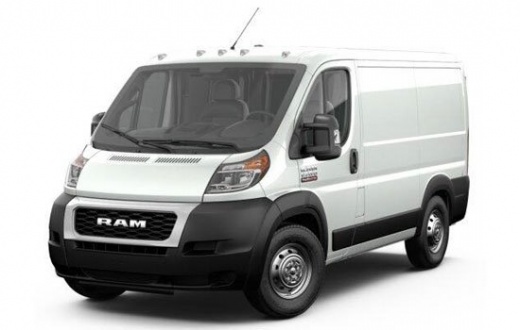
How to reset the partial odometer in the RAM ProMaster van?
Model: RAM Promaster
MK 1
- Years:
2014, 2015, 2016, 2017, 2018, 2019, 2020, 2021, 2022
Video tutorial
In this tutorial we can see how to reset the partial odometer in the RAM ProMaster van, an extremely simple and fast operation. This odometer can be useful, for example, to keep track of specific trips or fuel consumption. First of all, let's go inside the cabin, then insert the key and turn on the instrument panel. Next, locate the "TRIP" button located at the end of the right control lever, use it to scroll through the various items on the display, and once you reach the odometer in question, hold it down to reset it.
Posted on 5 December 2024 by ScegliAuto
Related tutorials
RAM Promaster
(2014-2022 /
MK 1)
In this tutorial, you will see how to reset the service light on a RAM ProMaster van, a very simple and quick operation that should be done only afte…

RAM Promaster
(2014-2022 /
MK 1)
In this tutorial, you will see how to replace the headlight bulbs in a RAM Promaster van, a very simple and quick operation. First, ensure the key is…

RAM Promaster
(2014-2022 /
MK 1)
If some devices in your RAM ProMaster van have suddenly stopped working, the first thing to do is check the status of the related fuses, which are de…
Other guides you may be interested in |
How to Reset the Tyre Light on a Toyota Aygo?
To reset the tyre light on a Toyota Aygo, start by locating the reset button, which is found in the glove compartment of the front passenger side. Turn on the car and ensure that the tyres are at the correct pressure. Then, press and hold the reset button for a few seconds until the tyre light either flashes or turns off, depending on the model. Release the button and wait for the reset procedure to complete. Restart your Toyota Aygo and check if the tyre light has turned off, indicating that the reset was successful. by ScegliAuto More videos
|
|
For advertising on this site Write to info@scegliauto.com
ScegliAuto is not responsible for any inaccuracy of the data in the lists. To report any inaccuracy or your business (if you own the business in question), please write to info@scegliauto.com
Number of seconds to generate the page: 0.076
(c) ScegliAuto 2026 - info@scegliauto.com - Privacy policy VAT number: IT01247470535 |
