
|
Do it yourself
| |||
| ||||


|
If the smart key of your new RAM 1500 has suddenly stopped working, you can easily resolve the issue by replacing the button battery inside it. If you don't know how to do this, don't worry because below you will find all the instructions you need. First, get a "CR 2450" battery and a small flathead screwdriver. Then, press the button located on the left side of the cover and slide out the emergency key. At this point, use the screwdriver to open the cover and remove the old battery. Insert the new one and finally, correctly reinstall the cover.
Updated on 23 May 2026 by ScegliAuto
Video tutorial
Related tutorials
RAM 1500
(2019-2026 /
DT, MK 5)
If you just purchased the new Ram 1500 and want to learn how to properly replace the battery located inside the key fob, simply follow these instruct…

RAM 1500
(2019-2026 /
DT, MK 5)
Here are the instructions for disassembling and replacing the battery in the key fob for the RAM 1500, in simple steps. First, take your key fob and …
RAM 1500
(2009-2019 /
DS, MK 4, DJ)
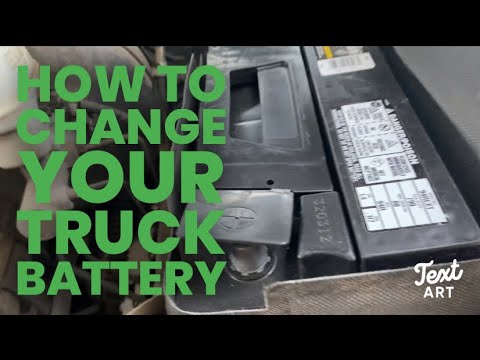
If you own a fourth-generation RAM 1500 (2012) and need to replace the vehicle's battery yourself, follow the steps below. First, remember to complet…
Other guides you may be interested in
|
How to reset the tyre pressure warning light on the Suzuki Jimny?
To reset the tyre pressure warning light on the Suzuki Jimny, first inflate the tyres to the pressure value indicated on the corresponding sticker: this is located at the bottom of the driver's door pillar. Once the tyres are inflated, insert the ignition key and turn on the instrument panel: select the screen that indicates the tyre pressures, checking that the values change. After a few seconds, the tyre pressure warning light will automatically turn off. by ScegliAuto More videos
|
|
For advertising on this site Write to info@scegliauto.com
ScegliAuto is not responsible for any inaccuracy of the data in the lists. To report any inaccuracy or your business (if you own the business in question), please write to info@scegliauto.com
Number of seconds to generate the page: 0.816
(c) ScegliAuto 2026 - info@scegliauto.com - Privacy policy VAT number: IT01247470535 |
