
|
Do it yourself
| |||
| ||||


How to reset the Uconnect service of the Ram 1500
Model: RAM 1500
MK 4, DJ, DS
- Years 2009-2019
The UConnect service allows you to quickly and with a simple click connect your smartphone directly to the car radio. Due to various temporary problems, however, it may happen that you are unable to complete the operation and each time a message will appear on the display indicating that there is no telephone connected. To solve this problem it is necessary to turn off the car and then insert the key and turn on the ignition. Find the two small buttons on the top left car stereo and hold them both for about thirty seconds. At the end of the waiting seconds, turn off the car and open and leave the driver's door open for another thirty seconds. Finally, turn the car engine back on and you're done.
Posted on 31 July 2022 by ScegliAuto
Video tutorial
Related tutorials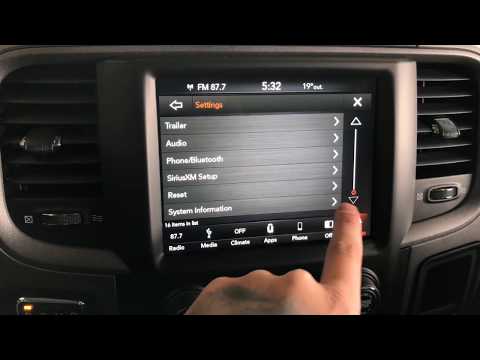
RAM 1500
(2019-2026 /
MK 5, DT)
In order to reset the Dodge RAM uConnect system, you must go inside the passenger compartment and turn on the instrument panel. You will need to sele…

RAM 1500
(2019-2026 /
MK 5, DT)
In our RAM 1500 pick-up truck, it may happen that the Uconnect 5 multimedia system shows various signs of malfunction, such as continuous freezes or …

RAM 1500
(2019-2026 /
MK 5, DT)
In order to perform a reset of the uConnect system of the RAM 1500 car radio, you will need to insert the ignition key and turn on the instrument pan…
Other guides you may be interested in
|
How to Replace the Oil Filter on a Ford Kuga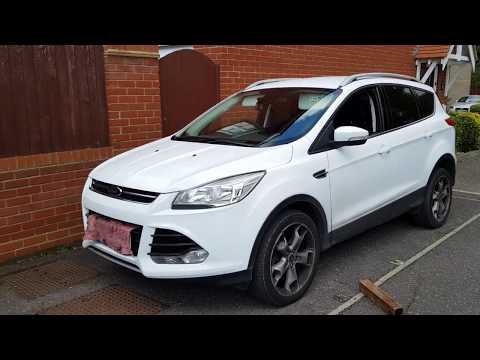
As the first step, release the bonnet and lift it to gain better access for the following operations. Now, proceed to remove the clips that secure the lower protective panel to the engine. You will need to move some parts indicated in the video to reach the position of the oil filter. Using a specific tool will make it easier to remove the top cover of the filter. Once the filter is replaced, simply retrace the steps described in reverse for reassembly. It is advisable to also replace the oil in your vehicle. by ScegliAuto More videos
|
|
For advertising on this site Write to info@scegliauto.com
ScegliAuto is not responsible for any inaccuracy of the data in the lists. To report any inaccuracy or your business (if you own the business in question), please write to info@scegliauto.com
Number of seconds to generate the page: 0.133
(c) ScegliAuto 2026 - info@scegliauto.com - Privacy policy VAT number: IT01247470535 |
