
|
Do it yourself
| |||
| ||||


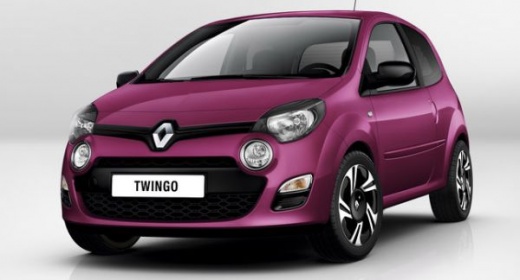
Removing the Speedometer from the Dashboard of a Renault Twingo II
Model: Renault Twingo
Twingo 2
- Years:
2007, 2008, 2009, 2010, 2011, 2012, 2013, 2014
Video tutorial
In this video, learn how to remove the flickering speedometer from the dashboard of a Renault Twingo II: first, remove the upper trim, which is simply clipped in place. Next, unscrew the two T20 screws located at the extreme sides. Pull the speedometer towards you and disconnect the electrical connector located at the back. The YouTuber is a repairer, so after disassembly, he repaired the speedometer to fix the flickering and then tests it. More modestly, you can replace it with a used one, which is easily found online by simply searching for "Renault Twingo II speedometer". Make sure to clarify the mileage displayed on the used speedometer with the seller.
Updated on 27 October 2026 by ScegliAuto
Related tutorials
Renault Twingo
(1993-2007 /
Twingo 1)
This video explains how to remove the speed sensor on a Renault Clio. Although this is a Renault vehicle, the procedure is similar for many other mak…

Renault Twingo
(2014-2024 /
Twingo III, Twingo 3)
It will be possible to make the Service light disappear from the instrument panel of the Renault Twingo by accessing the instrument panel, inserting …

Renault Twingo
(2007-2014 /
Twingo 2)
Below we will see the instructions that will allow us to disassemble and replace the cabin fan of the Renault Twingo. First of all, we get on board t…
Other guides you may be interested in |
How to reset the tyre pressure warning light on the Kia Niro EV?
To reset the tyre pressure warning light on the Kia Niro EV, inflate the tyres until they reach the correct pressure value. This value is indicated on the sticker attached to the driver's door pillar. Once the tyres are inflated, turn on the instrument cluster to check that the warning light has completely disappeared from the display. If it is still present, you may need to drive for a few miles to ensure it disappears completely from the screen. by ScegliAuto More videos
|
|
For advertising on this site Write to info@scegliauto.com
ScegliAuto is not responsible for any inaccuracy of the data in the lists. To report any inaccuracy or your business (if you own the business in question), please write to info@scegliauto.com
Number of seconds to generate the page: 0.028
(c) ScegliAuto 2026 - info@scegliauto.com - Privacy policy VAT number: IT01247470535 |
