
|
Do it yourself
| |||
| ||||



How to install a touchscreen display on a Renault Clio IV
Model: Renault Clio
Clio IV, Clio 4, MK 4
- Years:
2012, 2013, 2014, 2015, 2016, 2017, 2018, 2019
Video tutorial
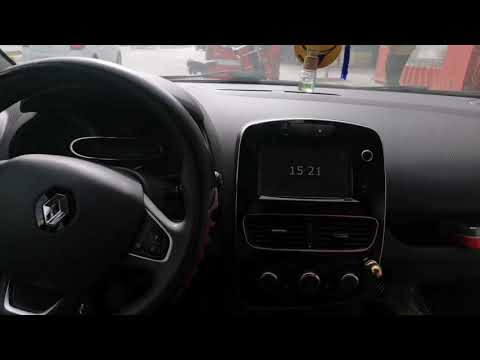
Let’s see how to install a touchscreen display on a Renault Clio IV. If you have a basic radio with a front USB, this is a straightforward operation: simply remove the trim of the instrument cluster gently, unscrew the 4 T20 screws securing the radio, pull out the original radio unit, and disconnect all the rear connectors. Now, fit the new device into the new frame, which usually comes supplied; connect all antennas to the new radio, insert it into the fixed frame, and place everything into the housing. If you have a radio with a display, it becomes more complicated: you need to completely remove the glove compartment to access the back of the radio located at the top; from there, you can disconnect the connectors. You will then need to run a long cable from the glove compartment to the engine bay; from here, the rest of the installation follows the previous scenario.
Posted on 24 April 2026 by ScegliAuto
Related tutorials
Renault Clio
(2012-2019 /
Clio IV, Clio 4, MK 4)
In this video tutorial, we will see how to reset the multimedia system of a Renault Clio, specifically the operation was performed on a Renault Clio …
Renault Clio
(2012-2019 /
Clio IV, Clio 4, MK 4)
In this short video, we will see how to remove the Medianav radio screen on the fourth-generation Renault Clio, as well as on the Renault Captur and …

Renault Clio
(2012-2019 /
Clio IV, Clio 4, MK 4)
In this video, we see how to change the language on the multimedia screen and display of the Renault Clio IV: from the multimedia screen, we press th…
Other guides you may be interested in
|
How to Set the Time on an Audi A6
Briefly, we will see the instructions to set the time on the Audi A6 by following these simple steps. First, get inside the vehicle and turn on the instrument cluster; then press the settings button and navigate to the time option to confirm your choice, as shown in the video. At this point, set the correct time and format, then exit the settings menu to save the changes made; finally, start the engine and ensure that the time has been set correctly! by ScegliAuto More videos
|
|
For advertising on this site Write to info@scegliauto.com
ScegliAuto is not responsible for any inaccuracy of the data in the lists. To report any inaccuracy or your business (if you own the business in question), please write to info@scegliauto.com
Number of seconds to generate the page: 0.042
(c) ScegliAuto 2026 - info@scegliauto.com - Privacy policy VAT number: IT01247470535 |
