
|
Do it yourself
| |||
| ||||


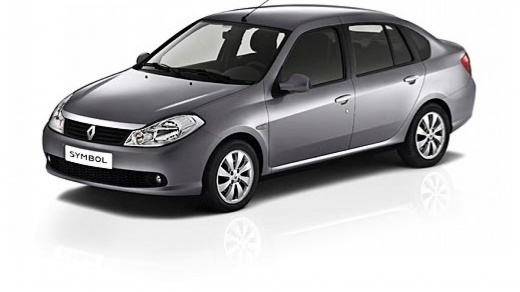
How to Reset the Tire Pressure Light on a Renault Symbol
Model: Renault Symbol
Symbol III
- Years:
2012, 2013, 2014, 2015, 2016, 2017, 2018, 2019
Video tutorial
In this video tutorial, you can see how to reset the tire pressure light on a Renault Symbol by following a few simple steps. First, check the tire pressure to determine the cause of the pressure drop. You can check the pressure with a compressor you have at home, visit a gas station, or if you can't resolve the issue yourself, consult a tire shop. Once the problem is fixed, get in the vehicle and press the button located on the control lever to the right of the steering wheel until you find the symbol 0. Now, hold the button until the reset is complete. Start the engine, and you will notice that the light has turned off.
Updated on 15 May 2026 by ScegliAuto
Related tutorials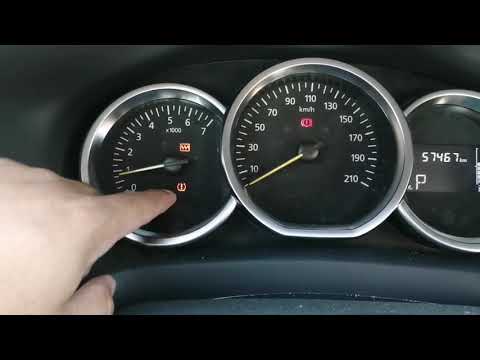
Renault Symbol
(2012-2019 /
Symbol III)
If you notice that the tire pressure warning light has turned on in this vehicle model, first check the actual tire pressure and inflate them if nece…
Renault Symbol
(2008-2012 /
Symbol II)
In this tutorial, you will see how to reset the service light on the Renault Symbol, a very simple and quick operation. Before proceeding, make sure …
Renault Symbol
(2012-2019 /
Symbol III)
In this tutorial, you will see how to reset the service light in a Renault Symbol, an extremely simple and quick operation. Before doing this, ensure…
Other guides you may be interested in
|
How to reset the tyre pressure warning light on the Dacia Sandero?
The tyre pressure warning light that appears on the instrument cluster of the Dacia Sandero can be reset by inflating the tyres until they reach the correct pressure value: this value is indicated on the sticker attached to the driver’s door pillar. Once the inflation is complete, navigate through the menu that appears on the instrument cluster to find the option related to the tyres: select this with the OK button, which should then be held down for a few seconds to completely turn off the light. by ScegliAuto More videos
|
|
For advertising on this site Write to info@scegliauto.com
ScegliAuto is not responsible for any inaccuracy of the data in the lists. To report any inaccuracy or your business (if you own the business in question), please write to info@scegliauto.com
Number of seconds to generate the page: 0.028
(c) ScegliAuto 2026 - info@scegliauto.com - Privacy policy VAT number: IT01247470535 |
