
|
Do it yourself
| |||
| ||||


How to Unlock the Immobiliser in a Renault Twingo
Model: Renault Twingo
Twingo 1
- Years 1993-2007
If you have bought a new Renault Twingo and cannot start the car (a red light is flashing continuously), it means the immobiliser is locked and you need to unlock it. This can be done simply using the car key. First, switch the ignition lock system to the Start position and then to the Off position. Press the button on the key and, while holding it down, turn the key to switch the ignition lock system to the Start position once more. Then return it to the previous position and you will see that the red light is no longer on. At this point, try starting the engine again. If it starts normally, the immobiliser is unlocked.
Updated on 24 May 2026 by ScegliAuto
Video tutorial
Related tutorials
Renault Twingo
(1993-2007 /
Twingo 1)
In order to deactivate the immobilizer of the Renault Twingo, you need to open the hood to locate the components inside the engine compartment: on th…

Renault Twingo
(1993-2007 /
Twingo 1)
In this guide, we will see how to disable the immobilizer, in case of emergency or malfunction, of the Renault Twingo. First, we open the hood of the…
Renault Twingo
(1993-2007 /
Twingo 1)
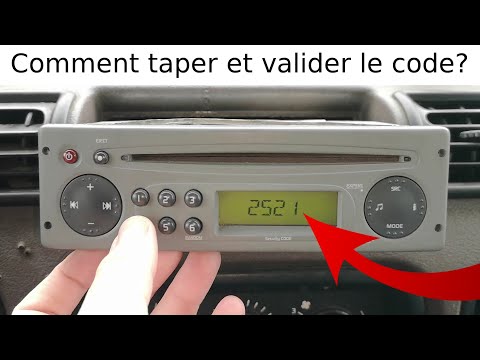
Below, we will outline the procedure to unlock the standard radio of the Renault Twingo, specifically unlocking the radio stations. First, get inside…
Other guides you may be interested in
|
Frequently Asked QuestionsHow to Replace the Remote Battery for the Volvo XC40?
In this tutorial, you will see how to replace the battery in the remote for the Volvo XC40, a very simple and quick operation. For this, you will need a replacement battery of type CR2032 and possibly a small flathead screwdriver. First, remove the front cover by pressing the button on the metal ring, then locate the second button, press it as well, and remove the opposite cover. Next, open the circular cap, take out the old battery, and insert the new one in the opposite direction. Finally, reassemble everything. by ScegliAuto More videos
|
For advertising on this site Write to info@scegliauto.com
ScegliAuto is not responsible for any inaccuracy of the data in the lists. To report any inaccuracy or your business (if you own the business in question), please write to info@scegliauto.com
Number of seconds to generate the page: 0.205
(c) ScegliAuto 2026 - info@scegliauto.com - Privacy policy VAT number: IT01247470535 |
