
|
Do it yourself
| |||
| ||||


How to Replace the Top Dead Centre Sensor on a Renault Twingo
Model: Renault Twingo
Twingo 1
- Years 1993-2007
In this video tutorial, you will see how to replace the top dead centre sensor on a Renault Twingo by following these simple steps: this sensor is very fragile and breaks regularly. First, get inside the vehicle, switch off the engine, and pull the handbrake; pull the bonnet release lever to unlock it, lift the bonnet and secure it with the prop rod. Using a 10 mm spanner, unscrew the two mounting screws of the sensor; once the two screws are removed, lift the tab and pull to remove the sensor. Take the new sensor and connect the connector to the housing and start to screw it in by hand. Finalise the tightening process with a torque wrench.
Updated on 10 June 2026 by ScegliAuto
Video tutorial
Related tutorials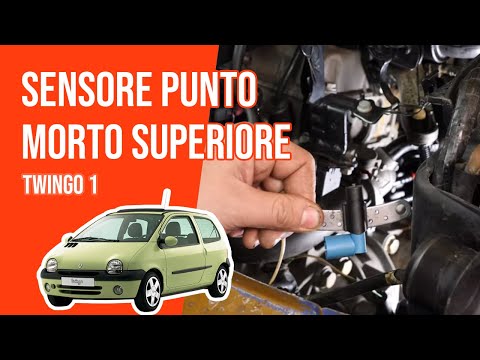
Renault Twingo
(1993-2007 /
Twingo 1)
The top dead centre (TDC) sensor informs the ECU of the piston position and thus the crankshaft rotation speed. Lift the bonnet and insert the suppor…

Renault Twingo
(1993-2007 /
Twingo 1)
This video explains how to remove the speed sensor on a Renault Clio. Although this is a Renault vehicle, the procedure is similar for many other mak…
Renault Twingo
(1993-2007 /
Twingo 1)
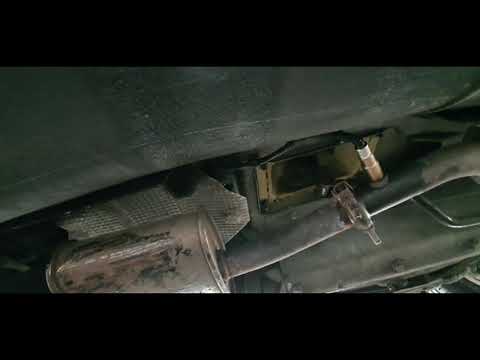
In this video tutorial, learn how to remove and replace the lambda sensor or oxygen sensor of the petrol Renault Twingo. First, lift the vehicle and …
Other guides you may be interested in
|
How to Check the Oil Level on a Jeep Renegade?
To check the oil level on a Jeep Renegade, you need to open the bonnet to access the components inside the engine bay: on the lower left side of the engine block, you will find the dipstick for checking the level. This should be pulled out and thoroughly cleaned with a cloth: once cleaned, reinsert it back into its tube and pull it out immediately after. This way, you can check that the oil mark is between the minimum and maximum levels; finally, you can place the dipstick back in its tube. by ScegliAuto More videos
|
|
For advertising on this site Write to info@scegliauto.com
ScegliAuto is not responsible for any inaccuracy of the data in the lists. To report any inaccuracy or your business (if you own the business in question), please write to info@scegliauto.com
Number of seconds to generate the page: 0.287
(c) ScegliAuto 2026 - info@scegliauto.com - Privacy policy VAT number: IT01247470535 |
