
|
Do it yourself
| |||
| ||||


Fitting a Rear Camera on a Renault Clio V
Model: Renault Clio
Clio V, Clio 5
- Years 2019-2026
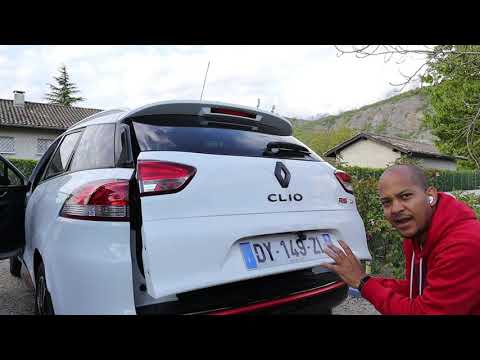
This video shows how to fit a rear camera on a Renault Clio V that did not come with one as standard. The camera is installed above the number plate. The wires are routed through the lower part of the bodywork and dashboard to avoid interference with the side airbags located in the upper bodywork. It is also necessary to activate the camera via software, which integrates it with the parking assistance system, including guidelines and all necessary components. This is not a job for everyone; it is advisable to have it done by a qualified technician, especially regarding the software aspect, as this is a very delicate moment.
Updated on 12 September 2026 by ScegliAuto
Video tutorial
Related tutorials
Renault Clio
(2012-2019 /
Clio IV, MK 4, Clio 4)
Today's guide and information will show us how to install the rear camera for parking maneuvers on the Renault Clio. First, we get on board the car a…
Renault Clio
(2012-2019 /
Clio IV, MK 4, Clio 4)
Follow this guide for instructions to install the rear camera on the Renault Clio in simple and quick steps. First, open the boot and prepare the cam…

Renault Clio
(2012-2019 /
Clio IV, MK 4, Clio 4)
The demonstrative video available to watch here was shot with a Renault Zoe, but given the technical and structural characteristics, it can easily be…
Other guides you may be interested in
|
Frequently Asked QuestionsHow to reset the tyre pressure warning light on a Hyundai Tucson
Below are the instructions to reset the tyre pressure warning light (TPMS) on a Hyundai Tucson. First, get into the vehicle and turn on the instrument cluster; then navigate to the vehicle settings until you reach the tyre pressure monitor, identifying the tyre with incorrect pressure. At this point, restore all tyre pressures according to the specifications indicated on the label; this will reset the TPMS and the warning light will be cleared from the instrument cluster! by ScegliAuto More videos
|
For advertising on this site Write to info@scegliauto.com
ScegliAuto is not responsible for any inaccuracy of the data in the lists. To report any inaccuracy or your business (if you own the business in question), please write to info@scegliauto.com
Number of seconds to generate the page: 0.091
(c) ScegliAuto 2026 - info@scegliauto.com - Privacy policy VAT number: IT01247470535 |
