
|
Do it yourself
| |||
| ||||


|
Video tutorial
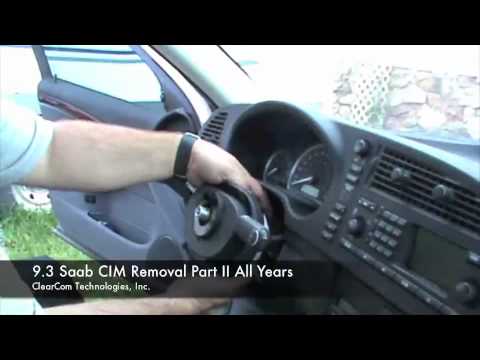
The AIRBAG container is secured to the steering wheel by springs: to dismantle it, you need to release the springs. Behind the steering wheel, at the spokes, there are access holes for the airbag fixing springs: try to engage the springs and press them towards the centre of the steering wheel to release them. It is suggested to bend the tip of a flat screwdriver by 90° for about 5 cm so you can insert the bent part into the hole and press towards the centre to release the spring; additionally, once one spring is released, place a screwdriver between the AIRBAG and the steering wheel to prevent it from re-engaging while you try to release the other spring. Once both springs are freed, pull the AIRBAG to extract it from its housing and disconnect the steering wheel control connectors to remove it completely. To dismantle the steering wheel, engage the steering lock, unscrew the fixing pin, return the steering wheel to the central position, and extract it. Finally, to dismantle the CIM (Column Integrated Module), detach the leather gaiter trim located just behind the module and pull it forward to disengage it from the steering column; then disconnect the connector attached to it and secure the opposing ring with adhesive tape to prevent accidental rotations that could damage it. It is also possible to disconnect the control levers.
Updated on 4 February 2026 by ScegliAuto
Related tutorials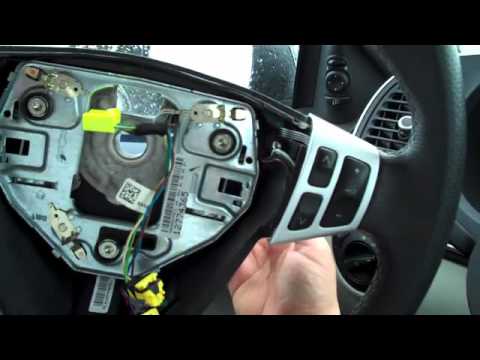
Saab 9 3
(2002-2014 /
MK 2)
To remove the lighting control group or CIM (Chassis IntEGRation Module), you must first remove the steering wheel. Start by disconnecting the airbag…
Saab 9 3
(2002-2014 /
MK 2)
The first operation is to adjust the steering wheel fully down and out to facilitate disassembly. Then, disconnect the airbag container: behind the s…

Saab 9 3
(2002-2014 /
MK 2)
It often happens that due to deterioration or small leaks, headlights tend to yellow and lose their brightness, giving the vehicle a decidedly unappe…
Other guides you may be interested in
|
How to Reset the AdBlue Warning Light on a Peugeot Boxer
To reset the AdBlue system on a 2018 Peugeot Boxer, follow these steps: Start the engine and ensure the vehicle is parked in a well-ventilated area. Locate the "MENU" button on the dashboard or steering wheel controls. Press and hold the "MENU" button until the menu options appear on the display. Use the arrow buttons or scroll wheel to access the "Vehicle Settings" or "Settings" menu. Select the "AdBlue" or "AdBlue System" option. Look for the "Recharge" or "Reset" option in the AdBlue menu. Once you find the reset option, select it and confirm your choice when prompted. The system will be reset, and a confirmation message may appear on the display. Turn off the engine and wait a few seconds. Restart the engine and check that the AdBlue system has been reset. by ScegliAuto More videos
|
|
For advertising on this site Write to info@scegliauto.com
ScegliAuto is not responsible for any inaccuracy of the data in the lists. To report any inaccuracy or your business (if you own the business in question), please write to info@scegliauto.com
Number of seconds to generate the page: 0.027
(c) ScegliAuto 2026 - info@scegliauto.com - Privacy policy VAT number: IT01247470535 |
