
|
Do it yourself
| |||
| ||||


Instructions for Removing the CIM Module
Model: Saab 9 3
MK 2
- Years:
2002, 2003, 2004, 2005, 2006, 2007, 2008, 2009, 2010, 2011, 2012, 2013
Video tutorial
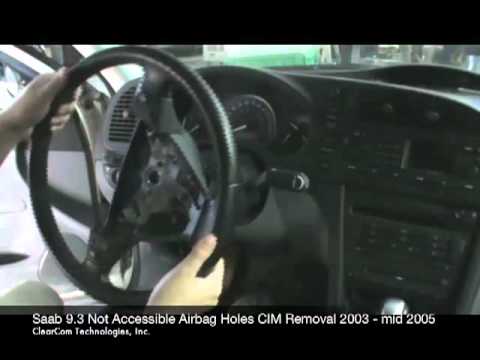
To remove the lighting control group or CIM (Chassis IntEGRation Module), you must first remove the steering wheel. Start by disconnecting the airbag: locate the holes behind the spokes of the steering wheel and using a small flat screwdriver, release the retaining springs and disconnect the detonator connectors (it is advisable to disconnect the battery to avoid warning lights). Next, unscrew the steering wheel retaining bolt and pull it off; detach the leather gaiter from behind the CIM module and disconnect the connector; at this point, open the retaining tab of the module on the steering column and pull it forward. You may also disconnect the control levers. Proceed in reverse for reinstallation.
Updated on 9 February 2026 by ScegliAuto
Related tutorials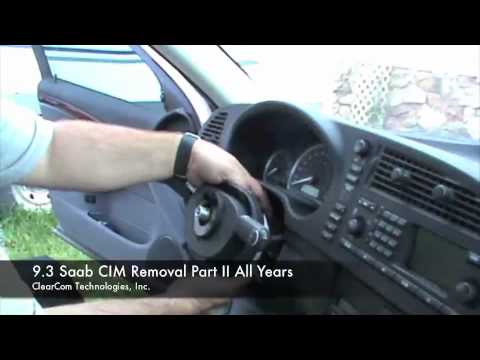
Saab 9 3
(2002-2014 /
MK 2)
The first operation is to adjust the steering wheel fully down and out to facilitate disassembly. Then, disconnect the airbag container: behind the s…
Saab 9 3
(2002-2014 /
MK 2)
The AIRBAG container is secured to the steering wheel by springs: to dismantle it, you need to release the springs. Behind the steering wheel, at the…

Saab 9 3
(2002-2014 /
MK 2)
If the cabin fan does not operate correctly or there is no change in airflow with varying fan speeds, the fault is likely in the fan control unit. Th…
Other guides you may be interested in
|
How to Open the Fuel Filler Flap in the Hyundai i30?
In this tutorial, you will learn how to open the fuel filler flap in the Hyundai i30, a very simple operation that follows the typical procedure of most vehicles. First, unlock the locks using the designated button on the remote, then open the driver's door, locate the release lever on the left side of the seat, and operate it. Next, move to the fuel filler flap, open it completely, unscrew the cap, and refuel as needed. To close the flap, simply press it gently. by ScegliAuto More videos
|
|
For advertising on this site Write to info@scegliauto.com
ScegliAuto is not responsible for any inaccuracy of the data in the lists. To report any inaccuracy or your business (if you own the business in question), please write to info@scegliauto.com
Number of seconds to generate the page: 0.065
(c) ScegliAuto 2026 - info@scegliauto.com - Privacy policy VAT number: IT01247470535 |
