
|
Do it yourself
| |||
| ||||


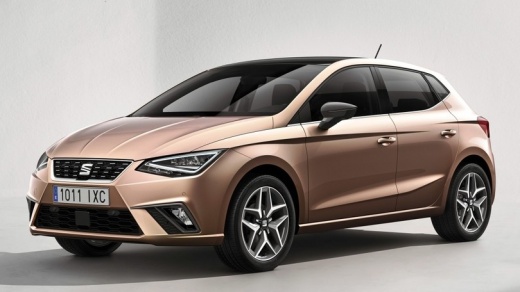
How to Replace the Front Bulbs on a Seat Ibiza 4
Model: Seat Ibiza
KJ, 6F
- Years:
2017, 2018, 2019, 2020, 2021, 2022, 2023, 2024, 2025, 2026
Video tutorial
Learn how to replace the front headlight bulbs on a Seat Ibiza 4: open the bonnet and access the front headlight near the front grille, remove the plastic cover of the headlight, then lift and unclip the metal retaining clip, rotate the main beam bulb a quarter turn and disconnect the electrical connector. To fit the new H7 bulb, use gloves (do not touch the bulb with your fingers), ensuring the guide tab aligns with the housing. Secure with the clip and replace the cover. For the W5W position lights, still in the same compartment, grasp and pull the black electrical connector, remove the bulb by pulling it directly and insert the new bulb into the headlight. For the dipped beams, access the inner side of the engine compartment near the wheel arch. Remove the plastic cover, unclip the metal clip, pull the electrical connector, turn the bulb to the right, and fit the new bulb in the opposite direction. Secure with the clip. For the indicators, take the bulb and rotate it counterclockwise a quarter turn, to fit the new bulb, proceed in the reverse order.
Posted on 7 June 2026 by ScegliAuto
Related tutorials
Seat Ibiza
(2008-2017 /
6J, 6P)
How do you remove the front bulbs from your Seat Ibiza? Let’s see how to remove the bulbs located in the front headlights. Lift the front bonnet, the…

Seat Ibiza
(2008-2017 /
6J, 6P)
How to replace the front bulbs on your car? Here’s how to remove them from inside the headlamp of an Ibiza. Release and lift the front bonnet of the …

Seat Ibiza
(2008-2017 /
6J, 6P)
Are the front headlight bulbs out? Here’s how to replace them on a Seat Ibiza. Open the front bonnet by pulling the lever located at the bottom right…
Other guides you may be interested in
|
How to Reset the Tyre Light on a Toyota Aygo?
To reset the tyre light on a Toyota Aygo, start by locating the reset button, which is found in the glove compartment of the front passenger side. Turn on the car and ensure that the tyres are at the correct pressure. Then, press and hold the reset button for a few seconds until the tyre light either flashes or turns off, depending on the model. Release the button and wait for the reset procedure to complete. Restart your Toyota Aygo and check if the tyre light has turned off, indicating that the reset was successful. by ScegliAuto More videos
|
|
For advertising on this site Write to info@scegliauto.com
ScegliAuto is not responsible for any inaccuracy of the data in the lists. To report any inaccuracy or your business (if you own the business in question), please write to info@scegliauto.com
Number of seconds to generate the page: 0.148
(c) ScegliAuto 2026 - info@scegliauto.com - Privacy policy VAT number: IT01247470535 |
