
|
Do it yourself
| |||
| ||||


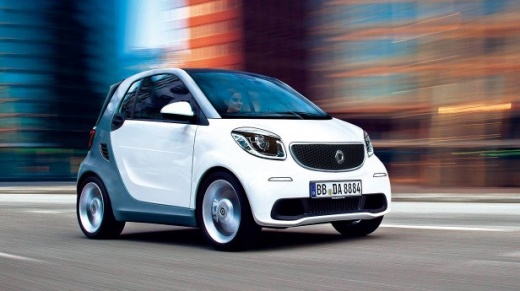
How to activate and deactivate the Start&Stop function of the Smart Fortwo
Model: Smart Smart
453
- Years:
2014, 2015, 2016, 2017, 2018, 2019, 2020, 2021, 2022
Video tutorial
In this guide, we will see the main instructions that will allow us to activate and deactivate the Start&Stop system of the Smart Fortwo. First of all, we get on board the car and start the engine; usually we find the Start&Stop system always active at the first start of the engine and it will be possible to deactivate it thanks to the specific button that we find on the dashboard (next to the steering wheel) on the driver's side, as shown in the video. By pressing the Start&Stop button, the LED on it will light up, indicating that the Start&Stop system is deactivated; conversely, the Start&Stop system will be active.
Posted on 19 August 2025 by ScegliAuto
Related tutorials
Smart
(2014-2022 /
453)
In this brief guide, you will learn how to activate and deactivate the Start&Stop system on the Smart Fortwo. First, get inside the vehicle and start…

Smart
(2014-2022 /
453)
In this guide, we will see the main instructions that will allow you to disable the Start&Stop system on the Smart Fortwo. First, get inside the vehi…

Smart
(2014-2022 /
453)
In this guide we will see the main instructions on how to activate the cruise control system on the Smart Fortwo. First of all, get on board the car …
Other guides you may be interested in
|
Frequently Asked QuestionsHow to Activate the Automatic Folding and Unfolding of the Wing Mirrors on the Jeep Compass
Follow these brief instructions to activate the automatic folding and unfolding of the external wing mirrors on the Jeep Compass. First, get inside the vehicle and turn on the ignition; then press the button located beneath the mirror glass adjustment to electrically open the mirror, as shown in the video. Pressing the button in the opposite direction will close the mirrors; by holding the button, the mirrors will open and close automatically! by ScegliAuto More videos
|
|
For advertising on this site Write to info@scegliauto.com
ScegliAuto is not responsible for any inaccuracy of the data in the lists. To report any inaccuracy or your business (if you own the business in question), please write to info@scegliauto.com
Number of seconds to generate the page: 0.033
(c) ScegliAuto 2026 - info@scegliauto.com - Privacy policy VAT number: IT01247470535 |
