
|
Do it yourself
| |||
| ||||


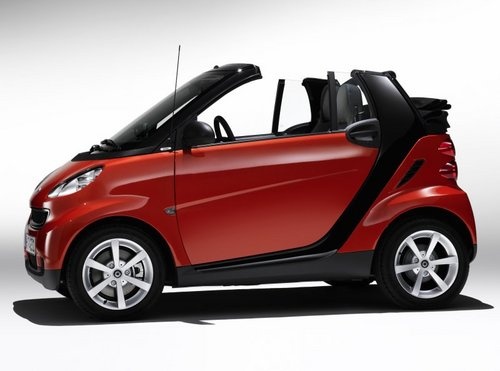
How to Remove the Front Bonnet of the Smart
Model: Smart Smart
451
- Years:
2007, 2008, 2009, 2010, 2011, 2012, 2013, 2014, 2015
Video tutorial
Given that the engine of the Smart is located at the rear, the front houses the coolant reservoir, the windscreen washer reservoir, and the air conditioning gas refill valves. If you need to top up fluids or recharge the air conditioning, you must remove the front bonnet, which is simply a cover panel secured in place. To remove the bonnet, first disengage the securing clips located at the ends of the front grille. Once the clips are open, lift the bonnet and slide it forward through the respective guides.
Updated on 14 March 2026 by ScegliAuto
Related tutorials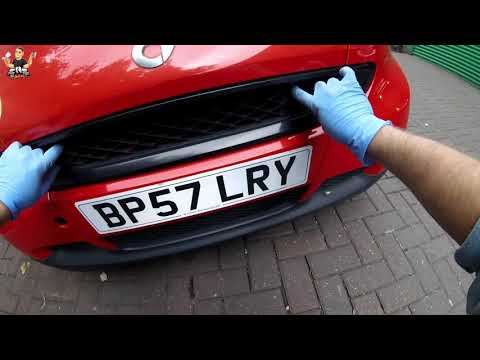
Smart
(2007-2015 /
451)
If you need to perform maintenance on your Smart Fortwo, you must remove the front bonnet (to top up the reservoirs). Here’s how to do it. Release th…
Smart
(2007-2015 /
451)
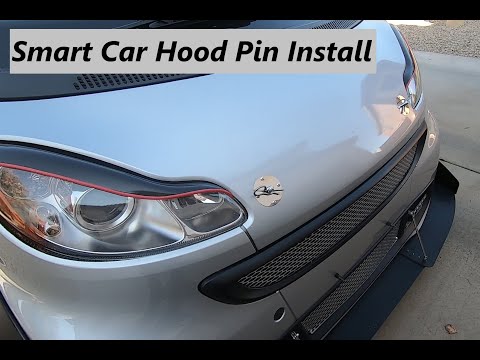
In this guide, you will find the main instructions to remove and replace the bonnet of the Smart Fortwo, followed by aesthetic modifications to the b…

Smart
(2007-2015 /
451)
The following steps will show you how to remove the bonnet and the plastic grille of the Smart Fortwo's bumper. First, move to the front of the vehic…
Other guides you may be interested in
|
How to Reset the Tyre Pressure Warning Light on the Jeep Renegade?
To reset the tyre pressure warning light on the Jeep Renegade, inflate the tyres until they reach the recommended pressure: this value is indicated on the sticker attached to the driver’s door pillar. Once the tyres are properly inflated, navigate through the menu that appears on the instrument cluster until you find the tyre pressure option. At this point, press and hold the OK button on the right side of the steering wheel to make the warning light disappear. by ScegliAuto More videos
|
|
For advertising on this site Write to info@scegliauto.com
ScegliAuto is not responsible for any inaccuracy of the data in the lists. To report any inaccuracy or your business (if you own the business in question), please write to info@scegliauto.com
Number of seconds to generate the page: 0.036
(c) ScegliAuto 2026 - info@scegliauto.com - Privacy policy VAT number: IT01247470535 |
