
|
Do it yourself
| |||
| ||||


Resetting the Service Light on a Smart Car
Model: Smart Smart
454, Fourfour1
- Years:
2004, 2005, 2006
Video tutorial
Turn on the instrument cluster but do not start the engine (this should not be necessary). Use the arrow buttons on the steering wheel to scroll through the various menu sections until you reach the service page, which is clearly shown towards the end of the video. Press and hold the "ok" button until the reset is complete. This video also shows how to perform an oil change on this vehicle, should you need it. Remember that the reset should only be performed after actually carrying out the regular service to avoid damage to the engine and the vehicle in general. Good luck!
Updated on 26 April 2026 by ScegliAuto
Related tutorials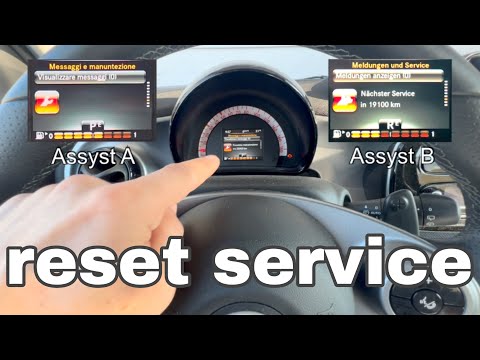
Smart
(2014-2022 /
453)
The video shows the instructions for resetting the service light on the latest model of Smart, designated with the code 453. First, turn on the instr…

Smart
(2014-2022 /
453)
These short and simple instructions will allow us to reset the maintenance reminder (service) on the Smart Forfour, as well as on the Fortwo. First o…

Smart
(2014-2022 /
453)
Good morning, today I will guide you through the process of resetting the partial trip on your Smart ForTwo. To begin, let's carefully enter the car.…
Other guides you may be interested in
|
Frequently Asked QuestionsLocation of the Jack and Spare Wheel of the Toyota Yaris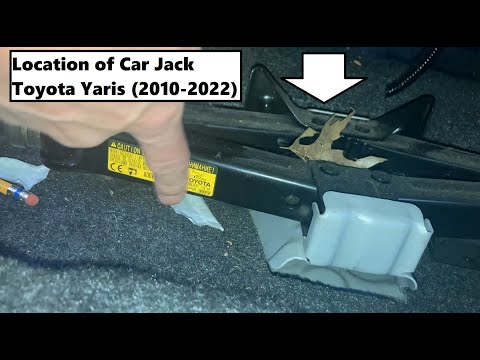
In the unfortunate event that one of the wheels of the Toyota Yaris is punctured, it is useful to know the location of the lifting jack, the spare wheel, the tool to operate the jack, and to unscrew the wheel bolts. The jack is located under the driver's seat, secured to a bracket and protected by a plastic cover, which you can remove by acting on the fixing clips. The spare wheel is located under the floor panel of the boot, secured to the floor by a threaded plastic flange, alongside which you will find the tool, consisting of a bent bar, which is used to operate the jack on one side and to remove the wheel on the other. by ScegliAuto More videos
|
|
For advertising on this site Write to info@scegliauto.com
ScegliAuto is not responsible for any inaccuracy of the data in the lists. To report any inaccuracy or your business (if you own the business in question), please write to info@scegliauto.com
Number of seconds to generate the page: 0.094
(c) ScegliAuto 2026 - info@scegliauto.com - Privacy policy VAT number: IT01247470535 |
