
|
Do it yourself
| |||
| ||||


How to drive a Smart with an automatic gearbox
Model: Smart Smart
453
- Years 2014-2022
In this video we see how to drive a Smart with a dual clutch automatic transmission: if the old robotised gearbox was the weak point of the old Smart, this is no longer the case. Instead this is fluid and fast. The electronic management is good, in traffic comfort is preferred in stop & go driving and in parking lots it is very progressive and smooth, with no jolts when maneuvering which instead were typical of the old robotised gearbox. It is very pleasant to drive and is preferable to the manual gearbox, despite this it is very responsive. The test engine is a 900 hp 900 turbo with good thrust, without response delays. Consumption is not significant due to the brevity of the test; the interiors are comfortable and spacious.
Posted on 8 November 2022 by ScegliAuto
Video tutorial
Related tutorials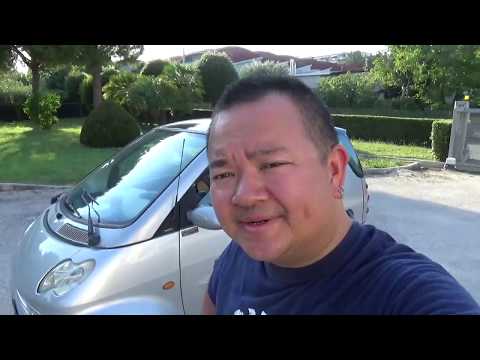
Smart
(2007-2015 /
451)
In this video we show you how to start the Smart with automatic gearbox. Once inside the cockpit you will immediately notice that there are only two …

Smart
(2007-2015 /
451)
In order to reset the automatic transmission of the Smart, you need to connect a diagnostic tool to the OBD port of the vehicle: this port can be fou…

Smart
(2014-2022 /
453)
If you have taken your car to the garage, and as a replacement vehicle, they give you a Smart with an automatic gearbox, here’s how to behave: no clu…
Other guides you may be interested in
|
Frequently Asked QuestionsHow to Remove the Original Radio from a Renault Trafic
How to remove the original radio from a Renault Trafic? Follow this video closely to perform the removal: use the original or aftermarket metal keys to detach the stereo, insert the keys into the holes on the plastic cover of the stereo, pull the stereo towards you as shown in the video, and extract the radio while being careful of the various wiring (disconnect the power connectors and the antenna cable). Finally, reinstall the original radio or a generic brand with the appropriate adapter for the input and connector. by ScegliAuto More videos
|

|
For advertising on this site Write to info@scegliauto.com
ScegliAuto is not responsible for any inaccuracy of the data in the lists. To report any inaccuracy or your business (if you own the business in question), please write to info@scegliauto.com
Number of seconds to generate the page: 0.058
(c) ScegliAuto 2026 - info@scegliauto.com - Privacy policy VAT number: IT01247470535 |
