
|
Do it yourself
| |||
| ||||


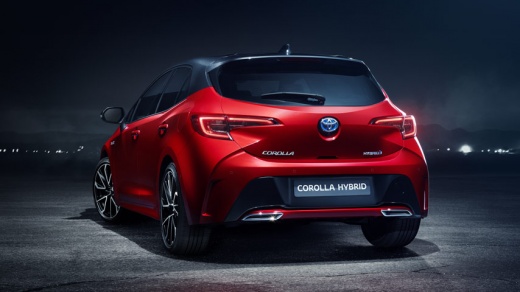
How to change the windshield wiper of a Toyota Corolla MK5
Model: Toyota Corolla
MK 5, E210
- Years:
2019, 2020, 2021, 2022, 2023, 2024, 2025, 2026
Video tutorial
In this video we can see how to change the windshield wiper of a Toyota Corolla MK5 version: we lift the arm with the brush, and with a screwdriver (a tool that we recommend, instead of the car keys) we release the spring that holds the brush. We place the arm on the glass, being careful to place it on a soft cloth, so that it does not scratch the windshield. We do the same with the other arm. We take the new brushes and attach them to the windshield wiper arms, hooking them onto the lock. We repeat the same on the other arm and the operation is completed. We can test them by turning them a couple of times on the glass, for safety.
Posted on 31 July 2025 by ScegliAuto
Related tutorials
Toyota Corolla
(2006-2013 /
MK 3)
To replace the wiper motor on a Toyota Corolla, loosen the central nuts that secure the wipers to their housing. Once the nuts are loosened, complete…

Toyota Corolla
(2006-2013 /
MK 3)
In this tutorial, you will learn how to replace the wipers on a Toyota Corolla, a very simple and quick task. First, ensure the wipers are in the par…

Toyota Corolla
(2019-2026 /
MK 5, E210)
Each fuse in the Toyota Corolla is located inside one of the two fuse boxes present in the vehicle. The first is found at the bottom left of the stee…
Other guides you may be interested in
|
How to reset the tyre pressure warning light on the Kia Niro EV?
To reset the tyre pressure warning light on the Kia Niro EV, inflate the tyres until they reach the correct pressure value. This value is indicated on the sticker attached to the driver's door pillar. Once the tyres are inflated, turn on the instrument cluster to check that the warning light has completely disappeared from the display. If it is still present, you may need to drive for a few miles to ensure it disappears completely from the screen. by ScegliAuto More videos
|
|
For advertising on this site Write to info@scegliauto.com
ScegliAuto is not responsible for any inaccuracy of the data in the lists. To report any inaccuracy or your business (if you own the business in question), please write to info@scegliauto.com
Number of seconds to generate the page: 0.104
(c) ScegliAuto 2026 - info@scegliauto.com - Privacy policy VAT number: IT01247470535 |
