
|
Do it yourself
| |||
| ||||


How to Reset a JVC Car Radio
Model: (Various brands) Various
Video tutorial
To reset a locked JVC car radio, the procedure depends on the model. Single DIN (KD-R, KD-X series): press the "Detach" button to remove the front panel, then press the reset button within 5 seconds. Reinsert the front panel and turn it on. Double DIN touchscreen (KW-V, KW-M series): there is no removable front panel, so locate the reset hole on the front, remove any inserted USBs, and press with a paperclip. This resolves most lock issues. For Bluetooth problems: unpair both from the radio and the phone. If that doesn’t work, on single DIN models, hold down Setting/Bluetooth/Initialize/Yes: this deletes all devices, contacts, and settings. If the clock and settings reset every time you turn it off, it’s not a reset issue but a wiring issue. The yellow wire (memory, always 12V) and red wire (ignition, 12V only when the key is inserted) are swapped. Use a multimeter to check and swap them. If you see "Protecting" or "Check Wiring": the radio is in protection due to a short circuit. Check the speaker wires (disconnect them all and reconnect one at a time) and the power wires (yellow or red touching the chassis). Hidden recovery procedure: disconnect the power, hold Menu + Skip Track, reconnect 12V. "DC error" will appear; release, press Skip until "DC1", then Pause until "DC20". Disconnect, remove the front panel, reconnect, press reset for 10 seconds, reinsert the front panel, and turn it on. If it doesn’t work, it may be an integrated circuit issue (board-level repair). If the radio doesn’t turn on, check the audio fuse in the car's fuse box.
Posted on 13 October 2026 by ScegliAuto
Related tutorials
(Various brands) Various
Today, we will see how to reset the factory settings of the Junsun car radio. To perform the factory reset, turn on the onboard computer and select t…
(Various brands) Various
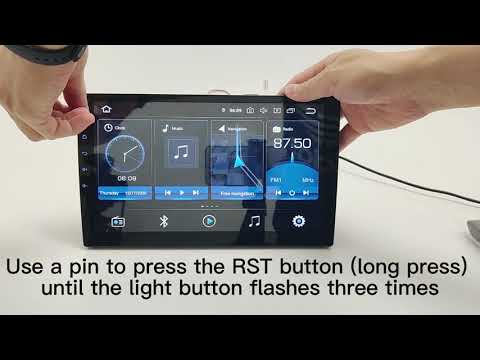
This short video tutorial will explain how to reset the Android car radio in your vehicle. While the radio is on, press the RST button, and continue …

(Various brands) Various
In this tutorial, you will learn how to reset the MyLink car radio, which is equipped in many Chevrolet models. This operation can be performed as a …
Other guides you may be interested in
|
How to Replace the Cabin Filter on the Ford Puma
To replace the cabin filter on the Ford Puma, detach the small cover located on the left side of the front passenger footwell: once this is removed, loosen the underlying screw so that you can detach the corresponding panel. At this point, locate the filter box underneath, which can be opened to remove the filter inside. The new filter can then be inserted, covering everything with the box and refitting the corresponding panel into its housing. by ScegliAuto More videos
|
|
For advertising on this site Write to info@scegliauto.com
ScegliAuto is not responsible for any inaccuracy of the data in the lists. To report any inaccuracy or your business (if you own the business in question), please write to info@scegliauto.com
Number of seconds to generate the page: 0.682
(c) ScegliAuto 2026 - info@scegliauto.com - Privacy policy VAT number: IT01247470535 |
