
|
Do it yourself
| |||
| ||||


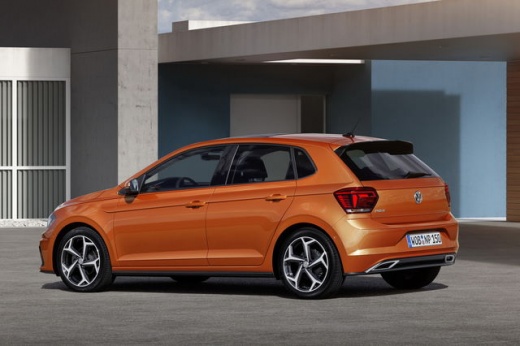
How to reset the service of the Volkswagen Polo
Model: Volkswagen Polo
MK 6, Polo 6, AW1, MK VI, Polo VI
- Years:
2017, 2018, 2019, 2020, 2021, 2022, 2023, 2024, 2025
Video tutorial
After replacing the engine oil and oil filter, it is necessary to reset the service light; let's see how to perform the procedure on the Volkswagen Polo. First, get into the car and start the instrument panel; then use the steering wheel controls to enter the settings menu until you reach the service option, as shown in the video. Follow the guided procedure and press the "ok" button to confirm and reset the service; finally, turn off the panel and start the engine!
Posted on 26 April 2025 by ScegliAuto
Related tutorials
Volkswagen Polo
(2017-2025 /
MK 6, Polo 6, AW1, MK VI, Polo VI)
These brief and simple steps will allow you to reset the inspection (service) warning in the Volkswagen Polo. First, get in the vehicle and start pre…

Volkswagen Polo
(2009-2017 /
6R, MK V, Polo 5, Polo V, MK 5)
Today, discover the steps to reset the service light for routine maintenance on the Volkswagen Polo. First, get inside the vehicle and turn on the ig…

Volkswagen Polo
(2017-2025 /
MK 6, Polo 6, AW1, MK VI, Polo VI)
Let's see the procedure on how to reset the service maintenance light for the oil change of the Volkswagen Polo. First, we get into the car and start…
Other guides you may be interested in
|
How to Open the Fuel Flap on a Volkswagen Tiguan?
To open the fuel flap on a Volkswagen Tiguan, first unlock the car using the appropriate button on the remote. This will open the car and unlock the mechanism that controls the fuel flap. At this point, apply light pressure to the left side of the flap to open it and access the cap underneath. Once this is unscrewed, you can refuel and then close everything. by ScegliAuto More videos
|
|
For advertising on this site Write to info@scegliauto.com
ScegliAuto is not responsible for any inaccuracy of the data in the lists. To report any inaccuracy or your business (if you own the business in question), please write to info@scegliauto.com
Number of seconds to generate the page: 0.068
(c) ScegliAuto 2026 - info@scegliauto.com - Privacy policy VAT number: IT01247470535 |
