
|
Do it yourself
| |||
| ||||


How to use Cruise Control in the Volkswagen Jetta?
Model: Volkswagen Jetta
MK 6, A6
- Years 2010-2018
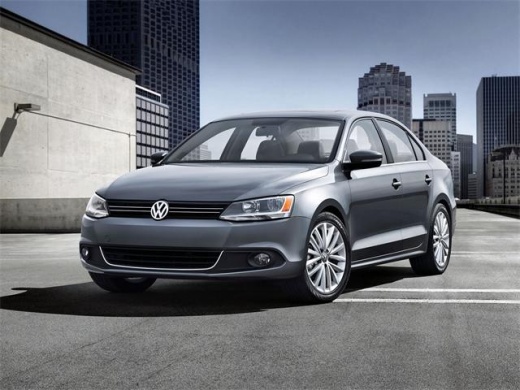
In this tutorial we can see how to use the Cruise Control in the Volkswagen Jetta, an extremely simple operation. This system should only be used on fast-flowing roads and in the absence of obstacles. First of all, we arm the Cruise Control by moving the selector to the "ON" position, then we reach the desired speed, press the "SET/-" button and release the accelerator. To increase or decrease the speed, simply use the "RES/+" and "SET/-" buttons respectively. To pause the system, we can use the brake, accelerator or move the selector to the "CANCEL" position, while to deactivate it completely, we need to move the selector to the "OFF" position.
Posted on 20 September 2025 by ScegliAuto
Video tutorial
Related tutorials
Volkswagen Jetta
(2010-2018 /
MK 6, A6)
Today's information will help you correctly use the air conditioning in the Volkswagen Jetta. First, start the vehicle's engine and press the A/C but…

Volkswagen Jetta
(2010-2018 /
MK 6, A6)
Today's steps will show us how to disassemble and replace the battery of the Volkswagen Jetta key remote, as well as the Golf. First, let's take our …

Volkswagen Jetta
(2005-2010 /
MK 5, A5)
The steps illustrated in this guide will show us how to disassemble and replace the power window switch panel of the Volkswagen Jetta, as well as the…
Other guides you may be interested in
|
Frequently Asked QuestionsHow to reset the tyre pressure warning light on a Hyundai Tucson
Below are the instructions to reset the tyre pressure warning light (TPMS) on a Hyundai Tucson. First, get into the vehicle and turn on the instrument cluster; then navigate to the vehicle settings until you reach the tyre pressure monitor, identifying the tyre with incorrect pressure. At this point, restore all tyre pressures according to the specifications indicated on the label; this will reset the TPMS and the warning light will be cleared from the instrument cluster! by ScegliAuto More videos
|
|
For advertising on this site Write to info@scegliauto.com
ScegliAuto is not responsible for any inaccuracy of the data in the lists. To report any inaccuracy or your business (if you own the business in question), please write to info@scegliauto.com
Number of seconds to generate the page: 0.056
(c) ScegliAuto 2026 - info@scegliauto.com - Privacy policy VAT number: IT01247470535 |
