
|
Do it yourself
| |||
| ||||


How to activate the We Connect app on the Volkswagen Golf
Model: Volkswagen Golf
Golf 8, MK 8, Golf Viii
- Years 2019-2026
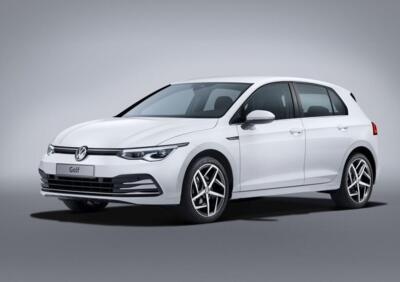
Today we will discover the instructions that will allow us to activate the We Connect application on the Volkswagen Golf, giving us access to the various functions offered by the manufacturer. First of all, it will be necessary to download the Volkswagen application and register; then we will associate the vehicle with the application, entering the chassis number, as shown in the video. Once the terms and conditions have been accepted, it will be possible to use the application directly from the car's multimedia system, following the step-by-step procedure outlined in the video tutorial.
Posted on 22 September 2025 by ScegliAuto
Video tutorial
Related tutorials
Volkswagen Golf
(2019-2026 /
Golf 8, MK 8, Golf Viii)
In order to activate App Connect on the Volkswagen Golf, you need to download the application on your smartphone: once it is installed, you can acces…

Volkswagen Golf
(2012-2019 /
Golf VII, MK 7, Golf 7)
Let's see how to activate App Connect on a Volkswagen car, whether it's CarPlay or Android Auto. The system connects wirelessly, linking with all our…

Volkswagen Golf
(2019-2026 /
Golf 8, MK 8, Golf Viii)
Today we will discover the instructions that will allow us to activate applications through the App Connect system of the Volkswagen Golf. First, let…
Other guides you may be interested in |
Frequently Asked QuestionsHow to Reset the Tyre Warning Light on a Toyota Aygo 2022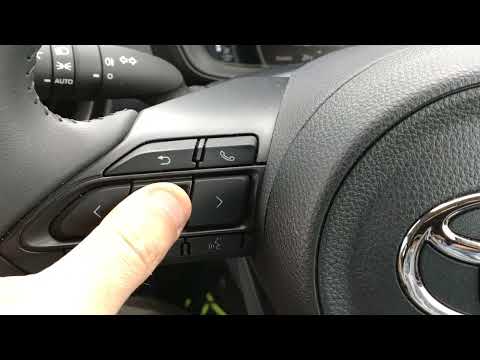
To reset the tyre warning light on your Toyota Aygo Mk2 (2022), follow the steps in this guide. First, get into the driver's seat and turn on the instrument panel. Then, press the menu button located on the left side of the steering wheel. Scroll through the options and select "Vehicle settings". Next, enter "TPWS setting" and press "Set pressure". Finally, confirm the operation, and shortly after, the manual reset procedure will be successfully completed. by ScegliAuto More videos
|
|
For advertising on this site Write to info@scegliauto.com
ScegliAuto is not responsible for any inaccuracy of the data in the lists. To report any inaccuracy or your business (if you own the business in question), please write to info@scegliauto.com
Number of seconds to generate the page: 0.055
(c) ScegliAuto 2026 - info@scegliauto.com - Privacy policy VAT number: IT01247470535 |
