
|
Do it yourself
| |||
| ||||


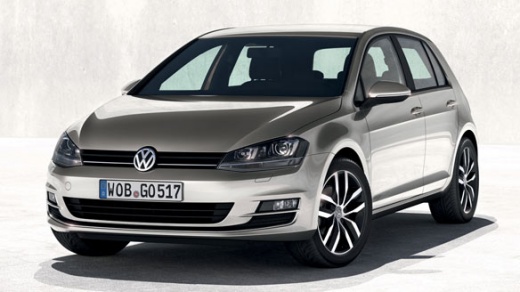
How to Disable Door Lock Beep on Volkswagen Golf
Model: Volkswagen Golf
MK 7, Golf 7, Golf VII
- Years:
2012, 2013, 2014, 2015, 2016, 2017, 2018, 2019
Video tutorial
Below are the instructions to disable the beep or sound alert for door and lock closure on the Volkswagen Golf. To disable the beep, you need to use specific programming software (in this case, VCDS), connected to the vehicle's OBD port; turn on the ignition to allow communication with the control unit. At this point, enter the appropriate section to disable the door closure sound alert, following the guided procedure; verify the successful completion of the operation!
Posted on 21 March 2026 by ScegliAuto
Related tutorials
Volkswagen Golf
(2003-2008 /
Golf 5, MK 5, Golf V)
The instructions provided in this guide will allow us to activate and deactivate the child safety locks on the doors of the Volkswagen Golf when ther…

Volkswagen Golf
(2008-2012 /
Golf 6, MK 6, 5K1, Golf VI)
We will briefly discover the instructions that will allow us to disable the automatic door locking feature of the Volkswagen Golf, in simple steps. F…

Volkswagen Golf
(2008-2012 /
Golf 6, MK 6, 5K1, Golf VI)
In this brief guide, we will go through the steps that will allow us to activate and deactivate the child safety lock on the doors of the Volkswagen …
Other guides you may be interested in
|
How to Open the Fuel Flap on a Volkswagen Tiguan?
To open the fuel flap on a Volkswagen Tiguan, first unlock the car using the appropriate button on the remote. This will open the car and unlock the mechanism that controls the fuel flap. At this point, apply light pressure to the left side of the flap to open it and access the cap underneath. Once this is unscrewed, you can refuel and then close everything. by ScegliAuto More videos
|
|
For advertising on this site Write to info@scegliauto.com
ScegliAuto is not responsible for any inaccuracy of the data in the lists. To report any inaccuracy or your business (if you own the business in question), please write to info@scegliauto.com
Number of seconds to generate the page: 0.019
(c) ScegliAuto 2026 - info@scegliauto.com - Privacy policy VAT number: IT01247470535 |
