
|
Do it yourself
| |||
| ||||


Remove the Navigation System from Your Volkswagen Transporter
Model: Volkswagen Transporter
T5, MK 5
- Years 2003-2014
Do you want to remove the navigation system from your Volkswagen Transporter and don't know how? Follow this guide to disassemble it. Remove the trim around the stereo using a plastic lever (where the air vents are located), and detach it from the centre console. Once the navigator is free, use a screwdriver to unscrew the securing screws located on either side. Pull the navigator out and disconnect the cables (power and antenna). To reassemble, reverse the disassembly steps.
Updated on 13 March 2026 by ScegliAuto
Video tutorial
Related tutorials
Volkswagen Transporter
(2003-2014 /
T5, MK 5)
Briefly, we will go through the steps to permanently disable the alarm or anti-theft system on a Volkswagen Transporter. First, get into the driver's…

Volkswagen Transporter
(2003-2014 /
T5, MK 5)
The video shows the fuse diagram for a Volkswagen Transporter van. The first fuse panel features a layout where the fuses are assigned to: light cont…
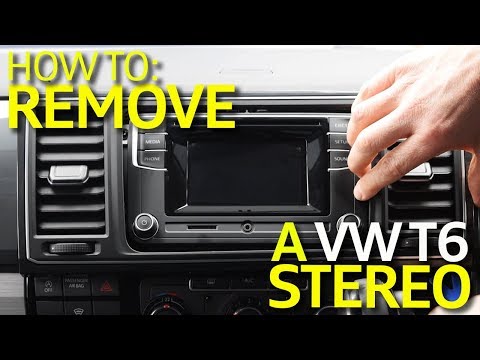
Volkswagen Transporter
(2014-2025 /
MK 6, T6)
To remove the radio from the Volkswagen Transporter T6, simply follow the instructions in the video and those outlined here. 1) Ensure you have all t…
Other guides you may be interested in
|
How to Replace the Cabin Filter on the Opel Grandland X
If you own an Opel Grandland X and want to know the steps to replace the cabin air filter, carefully read the following guide and follow the described steps. First, enter the vehicle and go to the passenger side. Then, locate the box containing the air filter in the lower side area of the dashboard. Remove the cover of the box and finally replace the old filter with the new one. Refit the cover, and you are done. by ScegliAuto More videos
|
|
For advertising on this site Write to info@scegliauto.com
ScegliAuto is not responsible for any inaccuracy of the data in the lists. To report any inaccuracy or your business (if you own the business in question), please write to info@scegliauto.com
Number of seconds to generate the page: 0.068
(c) ScegliAuto 2026 - info@scegliauto.com - Privacy policy VAT number: IT01247470535 |
