
|
Do it yourself
| |||
| ||||


Replacing Clutch Pedal on Volkswagen Golf
Model: Volkswagen Golf
Golf IV, MK 4, Golf 4
- Years 1997-2003
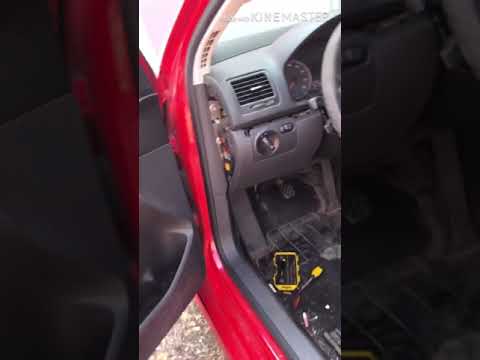
As shown in the video, start by unscrewing the three T15 Torx screws securing the plastic cover above the pedals to remove it. Once done, unscrew the cross bolt (with washer) of 13 mm and remove the small white plastic piece (you may need some force) and the pedal spring. Done! At this point, you can detach the pedal. Proceed in reverse order for reassembly, putting everything back in place up to the plastic cover above the pedal assembly. Once finished, test the clutch pedal to check its functionality and return to the starting position.
Updated on 10 April 2026 by ScegliAuto
Video tutorial
Related tutorials
Volkswagen Golf
(2008-2012 /
MK 6, Golf VI, Golf 6, 5K1)
This guide provides the main instructions on how to remove and replace the master cylinder or clutch pedal pump of the Volkswagen Golf. First, open t…

Volkswagen Golf
(2008-2012 /
MK 6, Golf VI, Golf 6, 5K1)
Before starting, open the bonnet of your Volkswagen Golf. Begin by disconnecting the relevant hose. Then, enter the cabin and unscrew the lower bolts…
Volkswagen Golf
(2003-2008 /
MK 5, Golf 5, Golf V)
Is the clutch pedal pump on your Golf 5 not working anymore? Let's see how to remove it. Lift the bonnet and secure it, then access the clutch pedal …
Other guides you may be interested in
|
How to reset the tyre pressure warning light on a Hyundai Tucson
Below are the instructions to reset the tyre pressure warning light (TPMS) on a Hyundai Tucson. First, get into the vehicle and turn on the instrument cluster; then navigate to the vehicle settings until you reach the tyre pressure monitor, identifying the tyre with incorrect pressure. At this point, restore all tyre pressures according to the specifications indicated on the label; this will reset the TPMS and the warning light will be cleared from the instrument cluster! by ScegliAuto More videos
|
|
For advertising on this site Write to info@scegliauto.com
ScegliAuto is not responsible for any inaccuracy of the data in the lists. To report any inaccuracy or your business (if you own the business in question), please write to info@scegliauto.com
Number of seconds to generate the page: 0.070
(c) ScegliAuto 2026 - info@scegliauto.com - Privacy policy VAT number: IT01247470535 |
