
|
Do it yourself
| |||
| ||||


Thermostat Valve Replacement
Model: Volkswagen Golf
Golf IV, Golf 4, MK 4
- Years:
1997, 1998, 1999, 2000, 2001, 2002, 2003
Video tutorial
To access the thermostat valve, remove the alternator. Before removing the auxiliary belt, remember or note the routing of the belt around the various pulleys; then loosen the tensioner with a 16 mm spanner and remove the belt. At this point, unscrew the alternator mounting bolts and disconnect the connector and the cable attached to it. Next, remove the tensioner to access the other alternator mounting bolt for complete removal. Once the alternator is out, you can access the hose containing the thermostat valve, located just behind the alternator mounting plate. Unscrew the two screws securing the plastic hose and extract the thermostat valve to replace it with a new one. Then proceed in reverse order for reassembly, securing the alternator first and then the tensioner.
Updated on 7 February 2026 by ScegliAuto
Related tutorials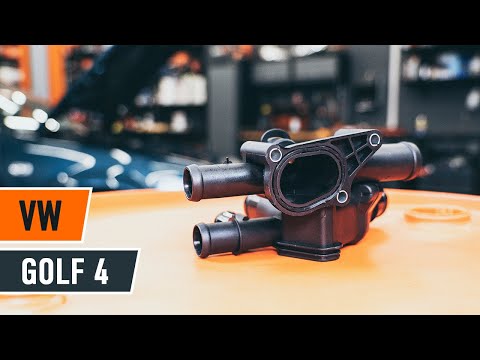
Volkswagen Golf
(1997-2003 /
Golf IV, Golf 4, MK 4)
Below are the main steps to remove and replace the thermostat of the Volkswagen Golf 1.6. First, open the bonnet and start draining the coolant by re…
Volkswagen Golf
(2003-2008 /
Golf 5, MK 5, Golf V)
The thermostat valve allows the hot coolant from the engine to exchange with the cooled liquid from the radiator, thus it is constantly in contact wi…

Volkswagen Golf
(1997-2003 /
Golf IV, Golf 4, MK 4)
If you experience issues with the coolant temperature rising, one possible cause is a malfunctioning thermostat valve. Rust formation in the cooling …
Other guides you may be interested in
|
How to reset the tyre pressure warning light on the Kia Niro EV?
To reset the tyre pressure warning light on the Kia Niro EV, inflate the tyres until they reach the correct pressure value. This value is indicated on the sticker attached to the driver's door pillar. Once the tyres are inflated, turn on the instrument cluster to check that the warning light has completely disappeared from the display. If it is still present, you may need to drive for a few miles to ensure it disappears completely from the screen. by ScegliAuto More videos
|
|
For advertising on this site Write to info@scegliauto.com
ScegliAuto is not responsible for any inaccuracy of the data in the lists. To report any inaccuracy or your business (if you own the business in question), please write to info@scegliauto.com
Number of seconds to generate the page: 0.026
(c) ScegliAuto 2026 - info@scegliauto.com - Privacy policy VAT number: IT01247470535 |
