
|
Do it yourself
| |||
| ||||


Where to Find the Legal Frame Number (VIN) on a Volkswagen Polo Mk5
Model: Volkswagen Polo
Polo 5, Polo V, MK 5, MK V, 6R
- Years 2009-2017
To locate the legal frame number of a Volkswagen Polo Mk5, note that the number found on the plate at the bottom of the windscreen in front of the driver is only a courtesy number used to move the vehicle until it has registration plates. The legal frame number, which may be requested by the police for a check or by the Vehicle Licensing Agency for inspection, is located in the engine compartment on the left side of the body when viewing the vehicle from the front (passenger side). To read it fully, lift a rubber seal. Here you can read the full chassis number: 17 alphanumeric digits stamped on the vehicle's chassis.
Updated on 11 July 2026 by ScegliAuto
Video tutorial
Related tutorials
Volkswagen Polo
(2001-2009 /
MK IV, Polo IV, Polo 4, MK 4, 9N)
Let's see where to locate the "legal" chassis number on the Volkswagen Polo Fox. The chassis number that the authorities or police want to see during…
Volkswagen Polo
(1994-2003 /
MK III, Polo III, Polo 3, MK 3, 6N)
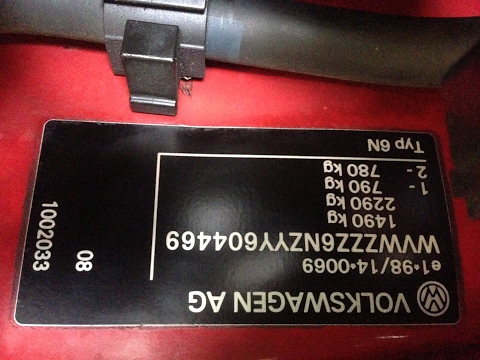
In this video, you will see where to locate the VIN (Vehicle Identification Number) and other useful numbers on a Volkswagen Polo 6N. First, the YouT…

Volkswagen Polo
(2009-2017 /
Polo 5, Polo V, MK 5, MK V, 6R)
In this brief guide, we will see where to find the chassis and engine identification numbers of the Volkswagen Polo, in simple steps. First, open the…
Other guides you may be interested in
|
Frequently Asked QuestionsHow to Connect the Cables to the Battery of the Citroen Xsara Picasso?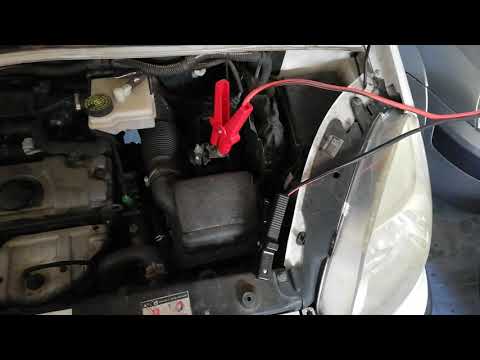
In this tutorial, you will see how to connect the cables to the battery of the Citroen Xsara Picasso, useful if you need to recharge it or perform an emergency start. First, ensure the key is not inserted, then open the bonnet and move to the front of the left headlamp. Next, locate the bolt just behind the filter box and connect the positive terminal clamp to it. Now you can connect the negative terminal to any point on the chassis, such as the indicated point. Once the operation is complete, ensure you disconnect the negative first and then the positive. by ScegliAuto More videos
|

|
For advertising on this site Write to info@scegliauto.com
ScegliAuto is not responsible for any inaccuracy of the data in the lists. To report any inaccuracy or your business (if you own the business in question), please write to info@scegliauto.com
Number of seconds to generate the page: 0.291
(c) ScegliAuto 2026 - info@scegliauto.com - Privacy policy VAT number: IT01247470535 |
