
|
Do it yourself
| |||
| ||||


How to Disable the Immobiliser on the Volkswagen Golf IV
Model: Volkswagen Golf
Golf IV, Golf 4, MK 4
- Years:
1997, 1998, 1999, 2000, 2001, 2002, 2003
Video tutorial
This procedure applies to both the Volkswagen Golf IV and the Skoda Octavia 1; to carry it out, you will need a four-digit numeric password. This is a temporary procedure: it disables the immobiliser for about 50 minutes, after which you must re-enter the password. Here’s how to do it: Press the button next to the speedometer and simultaneously turn the dial next to the rev counter to the right. Press the button three times and then turn the dial to the right. Then press it six more times and turn to the right. Twice more and turn to the right; seven times and turn to the right while holding it down. Now you can enter the code.
Updated on 6 August 2026 by ScegliAuto
Related tutorials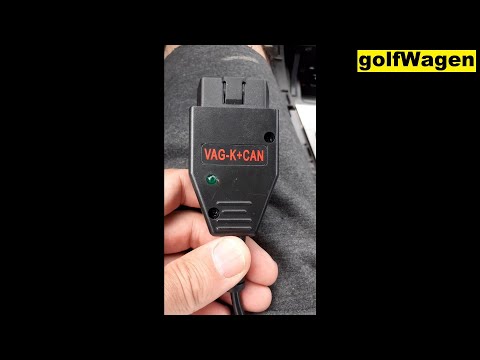
Volkswagen Golf
(1997-2003 /
Golf IV, Golf 4, MK 4)
To disable the immobiliser on the Volkswagen Golf, connect a diagnostic tool to the vehicle's OBD port: this will be located at the bottom left of th…
Volkswagen Golf
(2003-2008 /
Golf 5, MK 5, Golf V)
To disable the alarm on a Volkswagen Golf, there is no procedure that can be conducted through the controls on the car's onboard computer. In fact, t…

Volkswagen Golf
(2012-2019 /
MK 7, Golf 7, Golf VII)
Below are the instructions to disable the beep or sound alert for door and lock closure on the Volkswagen Golf. To disable the beep, you need to use …
Other guides you may be interested in |
How to reset the tyre pressure warning light on the Kia Niro EV?
To reset the tyre pressure warning light on the Kia Niro EV, inflate the tyres until they reach the correct pressure value. This value is indicated on the sticker attached to the driver's door pillar. Once the tyres are inflated, turn on the instrument cluster to check that the warning light has completely disappeared from the display. If it is still present, you may need to drive for a few miles to ensure it disappears completely from the screen. by ScegliAuto More videos
|
|
For advertising on this site Write to info@scegliauto.com
ScegliAuto is not responsible for any inaccuracy of the data in the lists. To report any inaccuracy or your business (if you own the business in question), please write to info@scegliauto.com
Number of seconds to generate the page: 0.020
(c) ScegliAuto 2026 - info@scegliauto.com - Privacy policy VAT number: IT01247470535 |
